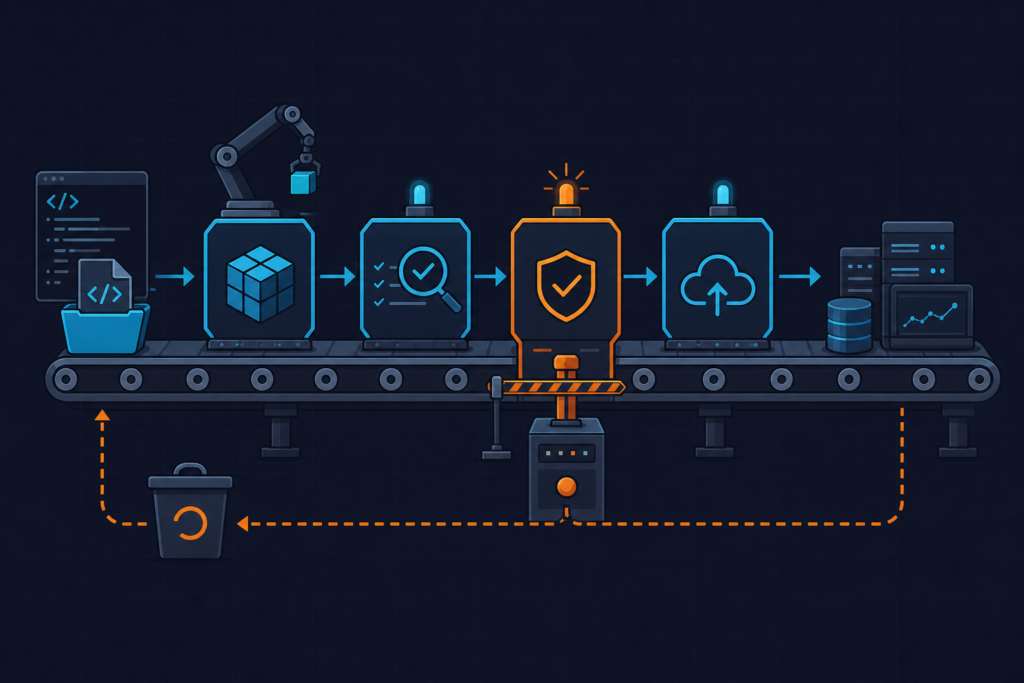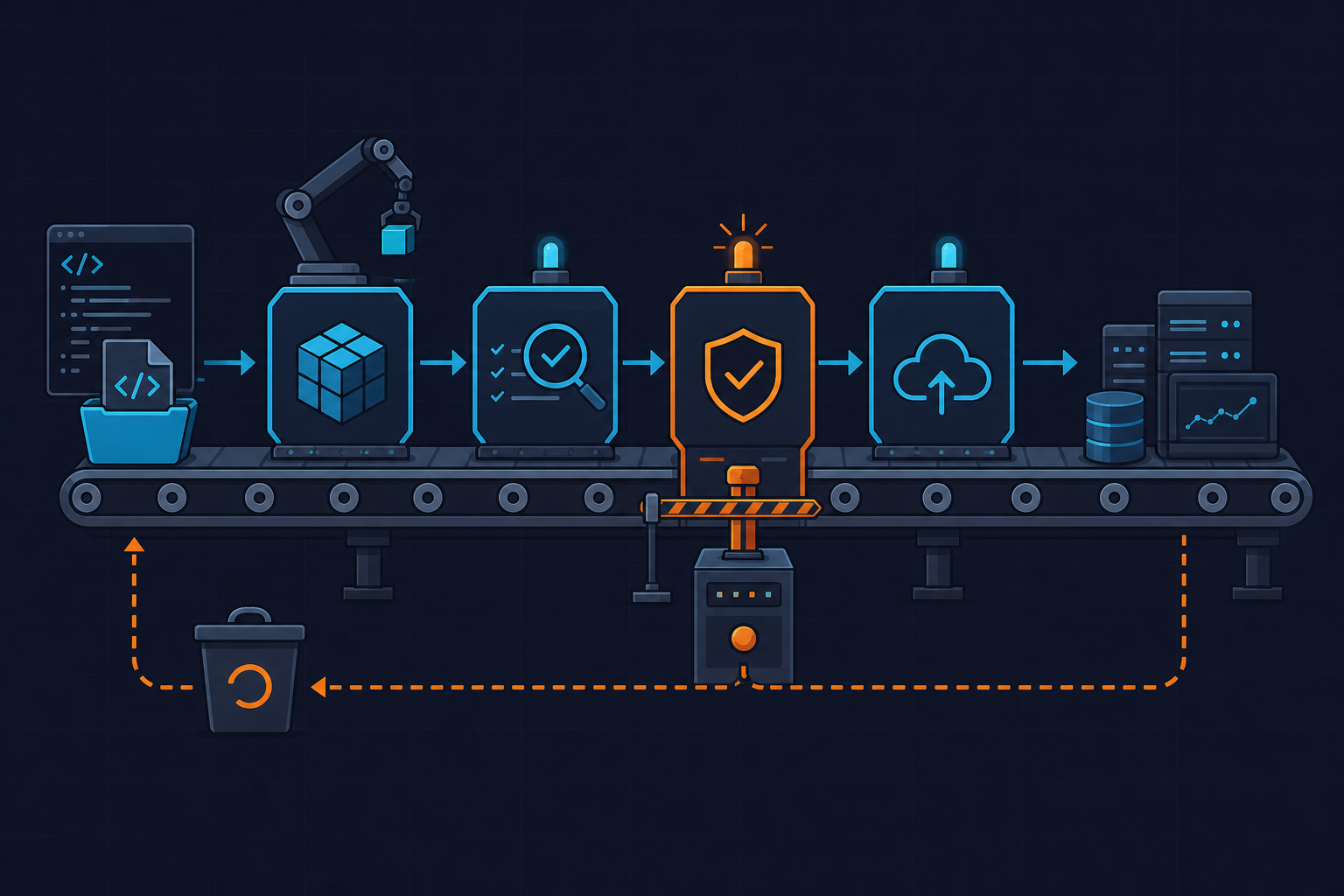
Your ECR image scan GitLab CI gate exits green, the image ships to production, and three days later you discover the scan never ran — the pipeline passed on a null result. This happens more often than it should, and the failure mode is invisible unless you know exactly what to look for. This runbook covers the three ways the gate breaks, how to tell them apart, and how to fix each one permanently.
Symptoms — What Broken Looks Like

The first sign something is wrong is a scan-gate job that exits with a non-zero code while the ECR console shows zero findings. Engineers almost always assume this is a false positive and retry the pipeline. It is not a false positive. The scan either never ran, never finished, or the script is parsing a null response and treating it as clean.
Three distinct symptom patterns cover the majority of failures we have seen in production pipelines:
- Hanging job:
aws ecr describe-image-scan-findingsreturnsSCAN_STATUS: IN_PROGRESSindefinitely. The CI job sits at the polling step until GitLab’s default 1-hour timeout kills it — or until your 300-second script timeout fires and the job is marked as failed with no useful message. - jq parse error: GitLab job log shows
jq: error (at <stdin>:1): null. This means the image was pushed but no scan was initiated. ThefindingSeverityCountskey is absent from the API response entirely — not null, absent — and the jq filter has no fallback. - Silent pass on error: The gate exits 0 even though AWS returned an error. This happens when
set -eis missing from the script and the AWS CLI error output is piped into jq, which then exits 0 on empty input. The pipeline turns green. The vulnerability is real.
Watch out for this one specifically: the ECR console “Scan status” column updates asynchronously. A status of “Complete” in the console does not mean the findings were available when your CI job polled the API. The console caches aggressively.
Root Cause — Why the Gate Silently Fails
There are three root causes, and they stack. You can fix one and still be broken because of another.
Root cause 1 — Scan on push is disabled. ECR repositories do not have scan on push enabled by default. When the image is pushed, no scan is initiated. The DescribeImageScanFindings API call returns a ScanNotFoundException error: An error occurred (ScanNotFoundException) when calling the DescribeImageScanFindings operation. If the shell script does not check for this error string explicitly, jq receives the error text as input, fails to parse it as JSON, and the exit code handling determines whether the pipeline passes or fails.
Root cause 2 — Race condition on scan completion. ECR needs between 10 and 90 seconds to complete a scan after push, depending on image size and layer count. Large images — anything over 2 GB uncompressed — can take 4 to 6 minutes. A one-shot API call immediately after docker push returns IN_PROGRESS. Scripts that do not poll treat this as either a pass or a hang depending on how they handle the status field.
Root cause 3 — IAM permissions missing on the runner role. The GitLab runner needs ecr:DescribeImageScanFindings and ecr:StartImageScan at minimum. If either is missing, AWS returns: An error occurred (AccessDeniedException) when calling the DescribeImageScanFindings operation: User: arn:aws:sts::... is not authorized. Without explicit error handling in the script, this gets swallowed. The job exits 0. The gate passes. Nothing was actually checked.
Fix #1 — Enable Scan on Push and Validate IAM Permissions
Before touching any CI code, fix the repository configuration and the runner’s IAM role. These two steps alone resolve the majority of gate failures we troubleshoot.
Enable scan on push with the AWS CLI:
# Enable scan on push for the repository
aws ecr put-image-scanning-configuration \
  --repository-name my-app \
  --image-scanning-configuration scanOnPush=true

# Verify the setting is active
aws ecr describe-repositories \
  --repository-names my-app \
  --query 'repositories[].imageScanningConfiguration'
For the IAM policy, scope permissions to the specific repository ARN. Do not use ecr:*. I have seen this shortcut on three separate teams — it grants ecr:DeleteRepository to a CI runner, which is a serious blast-radius problem if the runner is ever compromised.
{
  "Version": "2012-10-17",
  "Statement": [
    {
      "Sid": "ECRScanGateMinimum",
      "Effect": "Allow",
      "Action": [
        "ecr:DescribeImageScanFindings",
        "ecr:StartImageScan",
        "ecr:GetDownloadUrlForLayer",
        "ecr:BatchGetImage"
      ],
      "Resource": "arn:aws:ecr:us-east-1:123456789012:repository/my-app"
    },
    {
      "Sid": "ECRAuthToken",
      "Effect": "Allow",
      "Action": "ecr:GetAuthorizationToken",
      "Resource": "*"
    }
  ]
}
Also enable image tag immutability while you are in the repository settings. This prevents a re-push from overwriting a scanned image with an unscanned one mid-pipeline:
aws ecr put-image-tag-mutability \
  --repository-name my-app \
  --image-tag-mutability IMMUTABLE
Fix #2 — Add a Polling Loop with Timeout to the Gate Script
Replace any one-shot API call with a bounded retry loop. The script below polls every 15 seconds, checks .imageScanStatus.status, and exits the loop only when the value is COMPLETE or a terminal failure state. The hard cap is 20 iterations — 5 minutes total — which covers even large images without risking an infinite hang.
Watch out for the poll interval. Anything under 10 seconds risks hitting AWS API throttling — ECR will return ThrottlingException at sustained rates above 1 request per second. Fifteen seconds is the safe floor.
The full GitLab CI configuration with the polling gate wired into the pipeline:
# .gitlab-ci.yml — ECR image scan gate
# Requires: AWS CLI 2.15+, jq 1.6, GitLab 15.7+ (OIDC id_tokens support)

stages:
  - build
  - push
  - scan-gate
  - deploy

variables:
  ECR_REGISTRY: "123456789012.dkr.ecr.us-east-1.amazonaws.com"
  ECR_REPO: "my-app"
  IMAGE_TAG: "$CI_COMMIT_SHORT_SHA"
  FAIL_ON_SEVERITY: "CRITICAL HIGH"

# OIDC token for AWS authentication — no static credentials
id_tokens:
  AWS_OIDC_TOKEN:
    aud: "https://gitlab.com"

docker-push:
  stage: push
  image: docker:25.0
  services:
    - docker:25.0-dind
  script:
    - aws ecr get-login-password --region us-east-1 |
        docker login --username AWS --password-stdin "$ECR_REGISTRY"
    - docker build -t "$ECR_REGISTRY/$ECR_REPO:$IMAGE_TAG" .
    - docker push "$ECR_REGISTRY/$ECR_REPO:$IMAGE_TAG"

ecr-scan-gate:
  stage: scan-gate
  # Pin the image — never use :latest for gate scripts
  image: amazon/aws-cli:2.15.30
  needs: ["docker-push"]          # hard dependency — image must exist first
  timeout: 10 minutes             # ECR scan on large images can take 4-6 min
  id_tokens:
    AWS_OIDC_TOKEN:
      aud: "https://gitlab.com"
  before_script:
    # Assume role via OIDC — no hardcoded keys
    - >
      export $(printf "AWS_ACCESS_KEY_ID=%s AWS_SECRET_ACCESS_KEY=%s AWS_SESSION_TOKEN=%s"
      $(aws sts assume-role-with-web-identity
        --role-arn "$AWS_ROLE_ARN"
        --role-session-name "gitlab-ecr-scan-$CI_JOB_ID"
        --web-identity-token "$AWS_OIDC_TOKEN"
        --query "Credentials.[AccessKeyId,SecretAccessKey,SessionToken]"
        --output text))
    - yum install -y jq --quiet
  script:
    - |
      MAX_ATTEMPTS=20
      SLEEP_INTERVAL=15
      attempt=0

      echo "Waiting for ECR scan to complete for $ECR_REPO:$IMAGE_TAG..."

      while [ $attempt -lt $MAX_ATTEMPTS ]; do
        SCAN_RESULT=$(aws ecr describe-image-scan-findings \
          --repository-name "$ECR_REPO" \
          --image-id imageTag="$IMAGE_TAG" \
          --output json 2>&1)

        # Catch AccessDeniedException or ScanNotFoundException early
        if echo "$SCAN_RESULT" | grep -q "AccessDeniedException\|ScanNotFoundException"; then
          echo "ERROR: $SCAN_RESULT"
          exit 3
        fi

        STATUS=$(echo "$SCAN_RESULT" | jq -r '.imageScanStatus.status // "UNKNOWN"')
        echo "Attempt $((attempt+1))/$MAX_ATTEMPTS — scan status: $STATUS"

        if [ "$STATUS" = "COMPLETE" ]; then
          break
        elif [ "$STATUS" = "FAILED" ] || [ "$STATUS" = "UNSUPPORTED_IMAGE" ]; then
          echo "ERROR: ECR scan engine returned status: $STATUS"
          exit 2
        fi

        attempt=$((attempt+1))
        sleep $SLEEP_INTERVAL
      done

      if [ "$STATUS" != "COMPLETE" ]; then
        echo "ERROR: Scan did not complete within $((MAX_ATTEMPTS * SLEEP_INTERVAL))s"
        exit 4
      fi

      # Parse severity counts — use // 0 to handle absent keys safely
      CRITICAL=$(echo "$SCAN_RESULT" | jq '.imageScanFindings.findingSeverityCounts.CRITICAL // 0')
      HIGH=$(echo "$SCAN_RESULT" | jq '.imageScanFindings.findingSeverityCounts.HIGH // 0')
      TOTAL=$((CRITICAL + HIGH))

      echo "CRITICAL=$CRITICAL HIGH=$HIGH TOTAL_BLOCKING=$TOTAL"
      # Export for downstream jobs via dotenv artifact
      echo "VULN_CRITICAL=$CRITICAL" >> scan.env
      echo "VULN_HIGH=$HIGH" >> scan.env
      echo "VULN_TOTAL=$TOTAL" >> scan.env

      if [ "$TOTAL" -gt 0 ]; then
        echo "GATE FAILED: $TOTAL blocking vulnerabilities found. Review ECR console."
        exit 1
      fi

      echo "GATE PASSED: No CRITICAL or HIGH findings."
  artifacts:
    reports:
      dotenv: scan.env   # passes VULN_* vars to deploy jobs
  rules:
    - if: '$CI_COMMIT_BRANCH == "main"'
    - if: '$CI_MERGE_REQUEST_IID'

deploy-production:
  stage: deploy
  needs:
    - job: ecr-scan-gate
      artifacts: true   # receives VULN_* variables
  script:
    - echo "Deploying image with VULN_TOTAL=$VULN_TOTAL"
  rules:
    - if: '$CI_COMMIT_BRANCH == "main"'
A critical detail in the jq parsing: findingSeverityCounts keys are absent — not null — when the count is zero. Always use // 0 as a fallback. Using // empty causes jq to produce no output, which the shell assigns as an empty string, and the arithmetic then fails with a syntax error.
Fix #3 — Fail the Pipeline on CRITICAL and HIGH Findings
The polling loop gets you accurate scan results. This fix wires those results into a hard gate that blocks merges and deploys — not just logs a warning.
The example API response below shows what a real COMPLETE finding looks like. Use this to validate your jq parsing logic locally before it runs in CI:
{
  "imageScanFindings": {
    "findings": [
      {
        "name": "CVE-2023-44487",
        "uri": "https://cve.mitre.org/cgi-bin/cvename.cgi?name=CVE-2023-44487",
        "severity": "HIGH",
        "attributes": [
          { "key": "package_name", "value": "nghttp2" },
          { "key": "package_version", "value": "1.43.0-1" },
          { "key": "fixed_in_version", "value": "1.43.0-1+deb11u1" }
        ]
      }
    ],
    "findingSeverityCounts": {
      "HIGH": 1,
      "INFORMATIONAL": 4,
      "LOW": 2,
      "MEDIUM": 3
    },
    "imageScanCompletedAt": "2024-03-12T14:22:07+00:00"
  },
  "imageScanStatus": {
    "status": "COMPLETE",
    "description": "The scan was completed successfully."
  },
  "imageId": {
    "imageDigest": "sha256:abc123...",
    "imageTag": "a1b2c3d4"
  },
  "repositoryName": "my-app",
  "registryId": "123456789012"
}
// jq command to extract blocking count:
// jq '.imageScanFindings.findingSeverityCounts.CRITICAL // 0' findings.json
// jq '.imageScanFindings.findingSeverityCounts.HIGH // 0' findings.json
// Note: key is absent (not null) when count is zero — always use // 0 fallback
Three things make the gate impossible to bypass in GitLab CI. First, set allow_failure: false explicitly on the scan-gate job — do not rely on the default. Second, put the gate job in a needs: dependency chain after docker-push and before every deploy-* job. Parallel job execution in GitLab can run stages out of the expected order if needs: is absent. Third, use rules: to restrict the gate to main branch and merge requests — this avoids noise on feature branches while still blocking every production deploy path.
The dotenv artifact approach is worth the extra lines. Passing VULN_CRITICAL, VULN_HIGH, and VULN_TOTAL downstream means your deploy job can log exactly what was found without re-querying the API. Keep the dotenv file small — GitLab enforces a 5 KB limit on dotenv artifacts.
One more common mistake here: using the --query flag in AWS CLI instead of jq to filter findings. The --query flag uses JMESPath and silently returns null when a key is missing rather than erroring. A zero-finding result looks identical to a missing-key result. I stopped using --query for gate logic after this burned us on a staging deploy — jq with explicit fallbacks is the safer choice.
Prevention — Stop the Problem Before It Reaches CI
Fixing the gate is necessary. Reducing how often it fires is better. These three practices shift vulnerability detection left and reduce gate failure frequency across all your pipelines.
Pin everything in the CI job definition. Use image: amazon/aws-cli:2.15.30 — never :latest. On 2024-01-15, AWS CLI 2.15 changed the describe-image-scan-findings output schema for the enhancedFindings field. Pipelines using :latest broke silently that day. Pin the Docker executor version too — credential helper version mismatches between Docker 24.x and 25.x cause silent push failures where the image lands in ECR without the expected tag, so the scan finding lookup targets a non-existent digest.
Schedule weekly rescans via EventBridge. The gate only catches vulnerabilities at build time. New CVEs are published daily. A aws ecr start-image-scan scheduled weekly against all production repositories catches newly published CVEs against already-deployed images. ECR Basic Scanning is free. Enhanced Scanning via Amazon Inspector v2 costs approximately $0.09 per image per month and adds OS-level and package-level findings using Trivy-compatible CVE matching — worth it for any image handling sensitive data. See the ECR image scanning documentation for setup details.
Use OIDC federation for runner authentication. Store the AWS role ARN in a GitLab CI/CD group-level variable — masked and protected. Never hardcode credentials in .gitlab-ci.yml. Scope the OIDC trust policy sub condition to project_path:<group>/<repo>:ref_type:branch:ref:main to prevent token reuse across GitLab instances. The id_tokens: syntax requires GitLab 15.7 or later — check your runner version before deploying this. More on GitLab OIDC patterns is covered at kuryzhev.cloud.
One final watch-out: if your images use a distroless or scratch base layer, ECR Basic Scanning returns UNSUPPORTED_IMAGE status. The script above handles this as a terminal failure with exit code 2. If you are running distroless images, you need Inspector v2 Enhanced Scanning — Basic Scanning cannot parse them. Check the Amazon Inspector v2 ECR integration docs for the enablement steps.
The ECR image scan GitLab CI gate is not difficult to build correctly — but the default assumptions in most pipeline templates are wrong. Scan on push is off. Polling is absent. IAM is over-permissioned. Fix those three things, add the exit code distinctions, and you have a gate that actually blocks what it is supposed to block.