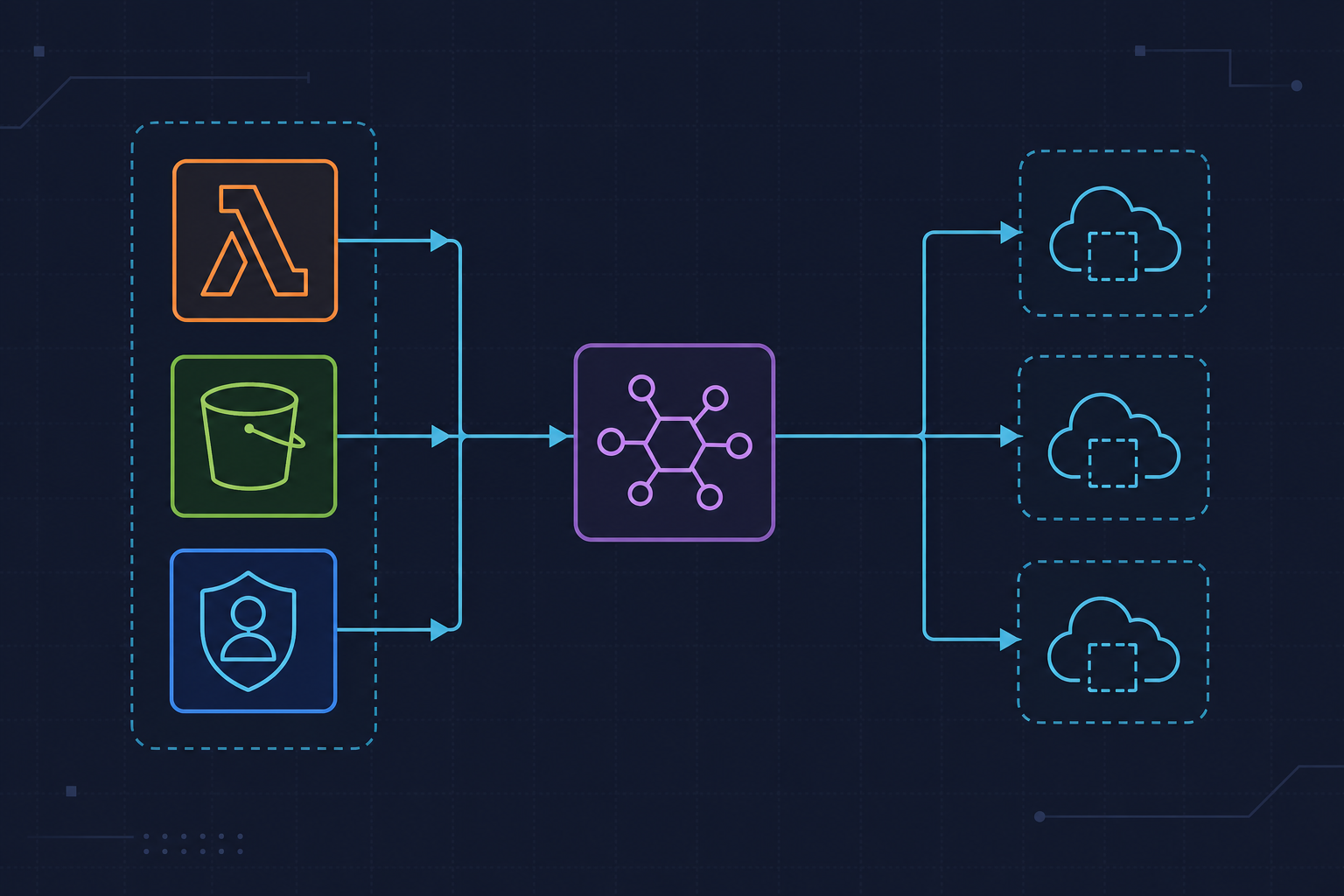
We replaced a tangled Lambda-to-Lambda chain with AWS Step Functions Lambda S3 orchestration and genuinely thought the hard part was over — then silent timeouts, States.DataLimitExceeded crashes, and a four-month-old wildcard IAM role reminded us that wiring it together is not the same as hardening it for production. This is a retrospective on three real mistakes, what they cost us, and the concrete patterns we now enforce on every workflow we ship.
Context: Why We Chose Step Functions to Orchestrate Our Lambda-S3 Pipeline

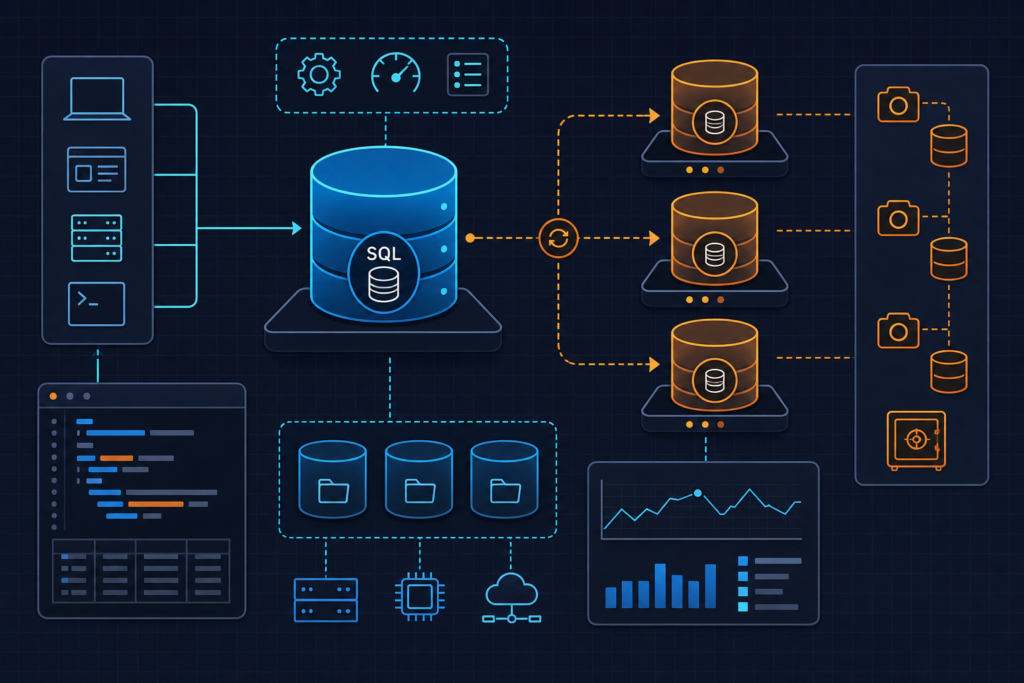
The workload was straightforward on paper: S3 uploads trigger a multi-step file processing chain — validate the file format and size, transform the content, archive the result to a separate bucket. Before Step Functions, we had this wired together with a mix of SNS topics, SQS queues, and direct Lambda-to-Lambda invocations via boto3. It worked, mostly. But retry logic lived in Python code as manual counters, failure visibility meant digging through three separate CloudWatch log groups, and adding a new step meant rewiring four different places.
Step Functions sold itself on exactly the problems we had. Visual workflow. Built-in retry with backoff. State persistence across the execution graph. We could define the entire orchestration in a single ASL file and let the service handle the coordination. The appeal was real.
The stack: Python 3.12 Lambdas, boto3 1.34.x, Step Functions Standard Workflows, S3 event notifications routed through EventBridge, and Terraform 1.7 managing all of it as IaC. The ASL definition lives at statemachines/pipeline.asl.json and is referenced in Terraform via definition = file("statemachines/pipeline.asl.json"). Clean setup. We were confident. That confidence is exactly what made the next three months interesting.
One thing worth noting upfront: Standard Workflows charge $0.025 per 1,000 state transitions. A Map state iterating over 500 S3 keys with 4 steps each generates 2,000 transitions per execution. At scale, that cost compounds faster than your Lambda compute bill. We learned to account for it — but that came after the operational mistakes did.
Mistake 1: We Trusted Default Timeouts and Watched Executions Silently Expire
The default Lambda timeout is 3 seconds. We knew this. We set appropriate timeouts on our aws_lambda_function Terraform resources. What we did not do was override those timeouts inside the ASL Task state definitions themselves — and those are independent settings. The state machine Task has its own TimeoutSeconds field, and if you omit it, the Step Functions service applies its own default, not your Lambda configuration.
When large S3 objects came through — files over 200MB — the Lambda would time out mid-processing. Step Functions logged the state transition as States.Timeout in the execution event history and moved to the failure path. No CloudWatch alarm fired. No SNS notification. The execution just disappeared from the RUNNING list and appeared in TIMED_OUT. We only found it because a downstream team asked why their archive bucket was missing files.
We compounded this with the workflow-level TimeoutSeconds. That field defaults to one year, which we interpreted as “effectively no timeout.” So we never set per-Task HeartbeatSeconds either. Long-running Map states stalled without any signal.
Watch out for this: HeartbeatSeconds must be strictly less than TimeoutSeconds on the same Task state. Setting them equal throws InvalidDefinition at deploy time. We hit this during the fix rollout when we copy-pasted values carelessly.
The fastest CLI command to surface these silent failures after the fact:
aws stepfunctions list-executions \
  --state-machine-arn arn:aws:states:us-east-1:123456789012:stateMachine:file-pipeline \
  --status-filter TIMED_OUT
The fix we applied: explicit TimeoutSeconds: 300 and HeartbeatSeconds: 60 on every Task state in the ASL, plus CloudWatch metric alarms on ExecutionsFailed, ExecutionsTimedOut, and ExecutionThrottled from day one on every new workflow. We also added a Terraform validation check that fails CI if either field is missing on any Task resource. Below is the corrected ASL with all three fixes applied:
{
  "Comment": "S3 file processing pipeline — validate, transform, archive",
  "StartAt": "ValidateFile",
  "TimeoutSeconds": 900,
  "States": {

    "ValidateFile": {
      "Type": "Task",
      "Resource": "arn:aws:lambda:us-east-1:123456789012:function:validate-file",
      "TimeoutSeconds": 120,
      "HeartbeatSeconds": 60,
      "ResultPath": "$.steps.validate",
      "Retry": [
        {
          "ErrorEquals": ["Lambda.ServiceException", "Lambda.AWSLambdaException"],
          "IntervalSeconds": 2,
          "MaxAttempts": 3,
          "BackoffRate": 2.0
        }
      ],
      "Catch": [
        {
          "ErrorEquals": ["States.ALL"],
          "Next": "HandleFailure",
          "ResultPath": "$.error"
        }
      ],
      "Next": "TransformFile"
    },

    "TransformFile": {
      "Type": "Task",
      "Resource": "arn:aws:lambda:us-east-1:123456789012:function:transform-file",
      "TimeoutSeconds": 300,
      "HeartbeatSeconds": 60,
      "ResultPath": "$.steps.transform",
      "Retry": [
        {
          "ErrorEquals": ["Lambda.ServiceException"],
          "IntervalSeconds": 5,
          "MaxAttempts": 2,
          "BackoffRate": 1.5
        }
      ],
      "Next": "ArchiveFile"
    },

    "ArchiveFile": {
      "Type": "Task",
      "Resource": "arn:aws:lambda:us-east-1:123456789012:function:archive-file",
      "TimeoutSeconds": 120,
      "HeartbeatSeconds": 60,
      "ResultPath": null,
      "Next": "ExecutionSucceeded"
    },

    "ExecutionSucceeded": {
      "Type": "Succeed"
    },

    "HandleFailure": {
      "Type": "Fail",
      "ErrorPath": "$.error.Error",
      "CausePath": "$.error.Cause"
    }
  }
}
Mistake 2: We Passed S3 Object Data Through State Machine Payloads Instead of References
Step Functions Standard Workflows cap state input and output at 256KB. We knew this limit existed. We did not appreciate how quickly we would hit it in practice. Our ValidateFile Lambda was returning a validation result that included S3 object metadata — fine — but we also added a base64-encoded preview chunk of the file content to help the Transform step skip a redundant S3 read. That decision blew up the payload the moment files grew past roughly 180KB encoded.
The error that appeared in execution event history: States.DataLimitExceeded. It is not a Lambda error. It does not appear in Lambda logs. It surfaces only in the Step Functions execution history, which means if you are not checking that view, you will spend a long time staring at CloudWatch Lambda logs wondering why nothing looks wrong.
We made it worse with ResultPath: $. That setting overwrites the entire state input with the Lambda output. So downstream states lost all the original execution context — bucket name, key, execution ID — because ValidateFile’s return value replaced everything. We were chasing missing keys in Transform that had been there at the start of the execution and vanished mid-flight.
Watch out for this: ResultPath: $ is almost always the wrong choice. The correct pattern is ResultPath: $.steps.validate — merge the Lambda result into a named field and preserve everything else. Use ResultPath: null only when you genuinely want to discard the Lambda output entirely, such as a fire-and-forget notification step.
The fix: pass only the S3 bucket name and object key as the execution input. Fetch content inside Lambda using s3.get_object() or s3.head_object() at runtime. The state machine carries a routing manifest. The data lives in S3. Here is the Lambda handler that enforces this pattern:
# lambda/validate_file/handler.py
# boto3==1.34.x | Python 3.12 runtime
# Receives S3 reference only — never raw file content in the event payload

import boto3
import os

s3 = boto3.client("s3")

def handler(event, context):
    """
    Expected input: {"bucket": "my-bucket", "key": "uploads/file.csv"}
    Returns validation metadata only — no file content in the response.
    Keeps Step Functions payload well under the 256KB hard limit.
    """

    bucket = event["bucket"]
    key = event["key"]

    # head_object fetches metadata without downloading the file body
    head = s3.head_object(Bucket=bucket, Key=key)
    file_size_bytes = head["ContentLength"]

    # Fail fast on size — before Transform incurs any compute cost
    max_bytes = int(os.environ.get("MAX_FILE_BYTES", 524288000))  # 500MB default
    if file_size_bytes > max_bytes:
        raise ValueError(f"File exceeds max size: {file_size_bytes} bytes")

    content_type = head.get("ContentType", "")
    allowed_types = ["text/csv", "application/json"]

    if content_type not in allowed_types:
        raise ValueError(f"Unsupported content type: {content_type}")

    # Return reference + metadata only — downstream states re-fetch from S3 if needed
    return {
        "bucket": bucket,
        "key": key,
        "size_bytes": file_size_bytes,
        "content_type": content_type,
        "validated": True
    }

# State shape after ValidateFile with ResultPath: $.steps.validate:
# {
#   "bucket": "my-bucket",
#   "key": "uploads/2024-01-15/report.csv",
#   "execution_id": "run-20240115-001",
#   "steps": {
#     "validate": {
#       "bucket": "my-bucket",
#       "key": "uploads/2024-01-15/report.csv",
#       "size_bytes": 4096,
#       "validated": true
#     }
#   }
# }
The boto3 1.34.x version matters here specifically if you are enabling checksum validation on retrieval. The ChecksumMode='ENABLED' parameter on s3.get_object() requires 1.34.x and enables SHA-256 integrity verification — useful when you are processing files that passed through multiple hands before reaching the pipeline.
Mistake 3: IAM Roles Were Too Broad and Shared Across the Entire Workflow
We attached one IAM role to the Step Functions state machine with s3:* and lambda:* on Resource: "*". It worked immediately. That is exactly why we left it alone for four months.
The state machine execution role needs exactly one permission in a Lambda-orchestration pattern: lambda:InvokeFunction scoped to specific Lambda ARNs. That is it. S3 access belongs to the Lambda execution roles, not to the state machine. When you attach S3 permissions to the state machine role, you create a confused-deputy scenario: the state machine can now read and write S3 directly, bypassing the Lambda functions entirely. Nothing in the workflow design requires this. It is pure attack surface.
The wildcard on lambda:* was worse. It meant our state machine execution role could invoke any Lambda function in the account. If that role were ever assumed by something it should not be, or if a policy misconfiguration elsewhere allowed cross-role assumption, the blast radius was the entire Lambda fleet. We found this during a routine IAM access review, not because anything went wrong. That was lucky.
The fix required separating roles by concern. State machine role: lambda:InvokeFunction scoped to the three explicit Lambda ARNs in the workflow. Each Lambda gets its own execution role with s3:GetObject and s3:PutObject scoped to the specific bucket ARN and the key prefixes those functions actually touch. No function has permissions beyond its own operational boundary.
One more thing we added: Step Functions execution logging to CloudWatch Logs with level: ALL. Execution history contains full input and output payloads for every state transition. If those payloads include S3 keys or any metadata that qualifies as PII under your compliance framework, the log group itself becomes a sensitive data store. We restricted access to it via a resource-based policy on the log group. See the AWS Step Functions CloudWatch Logs documentation for the logging configuration options and the Step Functions IAM reference for the minimal permission sets by integration type.
What We Do Differently Now
Three failures, three concrete changes that are now non-negotiable on every Step Functions workflow we ship.
Timeouts are mandatory fields, not optional tuning. Every Task state in every ASL definition has TimeoutSeconds and HeartbeatSeconds set explicitly. We enforce this with a custom Terraform validation check that fails the CI pipeline if either field is absent on a Task resource. CloudWatch alarms on ExecutionsFailed, ExecutionsTimedOut, and ExecutionThrottled are created in the same Terraform module as the state machine — they ship together or the deployment does not happen.
State machines carry references, not data. The canonical invocation pattern is a minimal JSON payload containing the S3 bucket, object key, and an execution identifier. Nothing else. Every Lambda fetches what it needs from S3 or DynamoDB at runtime. ResultPath always targets a named nested field. ResultPath: $ is banned in our ASL review checklist. We also added a note in our internal runbook about the S3 EventBridge integration: the console toggle and the put-bucket-notification-configuration API are not always in sync — always verify with get-bucket-notification-configuration after making changes.
IAM roles are scoped at deploy time, not cleaned up later. The state machine role gets lambda:InvokeFunction on explicit ARNs only. Each Lambda role is scoped to the bucket ARNs and key prefixes it actually uses. We review these in Terraform PR reviews the same way we review application code — a wildcard on any resource triggers a mandatory comment before merge.
Step Functions is genuinely good infrastructure for this class of problem. The operational visibility, the retry model, the execution history — all of it is real value. But “it works” and “it is production-hardened” are different thresholds, and the gap between them is exactly where these three mistakes lived. If you are building something similar, the DevOps_DayS archive has more patterns from real production systems worth checking before you ship.