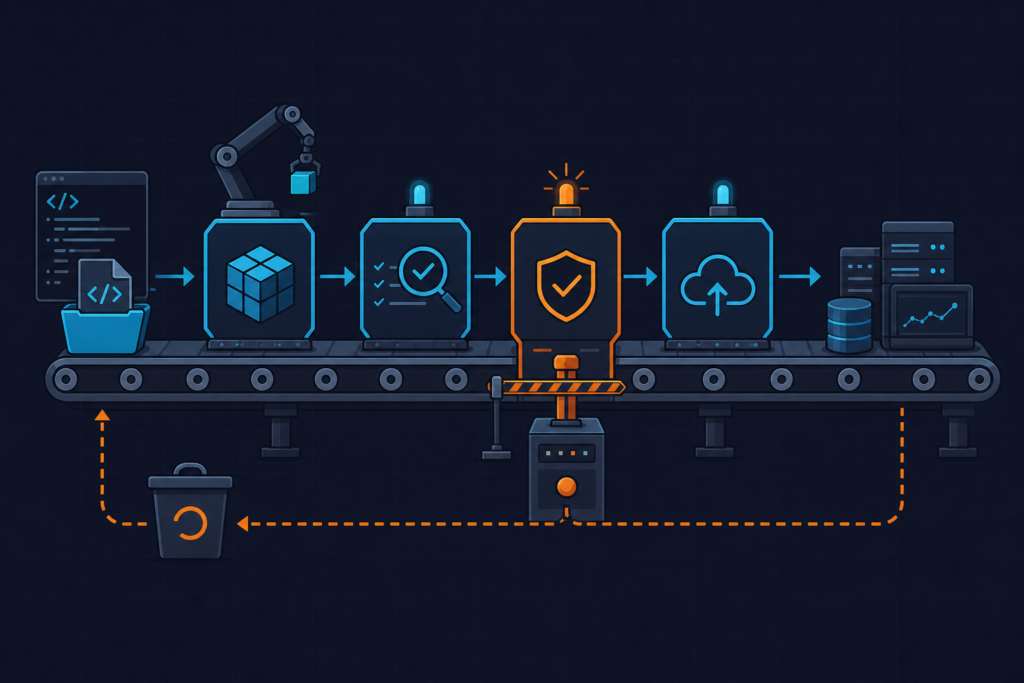
Your Docker image passed Trivy in CI — but the container running in production was built from a different layer cache, and nobody scanned the actual pushed digest. This is not a theoretical gap. Secure Docker multi-stage builds require more than splitting your Dockerfile into two stages and calling it done. The attack surface lives in what you copy, what base image you pin, and whether your scan target matches your deployed artifact.
What Multi-Stage Builds Actually Do to Your Image Attack Surface
Most engineers learn multi-stage builds as a size optimization. That framing is incomplete, and it leads to security decisions that look correct on the surface but fail in practice.
Here is what is actually happening at the layer level. A single-stage Node.js build using node:18 installs roughly 1,400 packages — compilers, build tools, curl, git, wget, the full npm ecosystem. Even if you run RUN rm -rf /tmp/build-artifacts at the end, those files are gone from the current layer but still present in the previous layer. Docker images are a stack of immutable layers. A RUN rm creates a new layer with a deletion marker (a whiteout file). The underlying data is still in the image tarball and extractable with docker save. Every binary in any layer is a potential CVE vector.
The COPY --from=builder instruction changes this entirely. It performs a filesystem-level copy from one build stage into a fresh image. The builder’s shell, package manager, process tree, and intermediate layers do not exist in the final stage. They are not hidden — they are absent. A distroless final stage ends up with roughly 20 packages instead of 1,400. That delta is your attack surface reduction, and it is substantial.
What distroless means concretely: gcr.io/distroless/nodejs18-debian12 has no /bin/sh, no apt, no curl. This eliminates an entire class of shell injection attacks and post-exploitation pivots. It also breaks docker exec for debugging, which is a tradeoff I consider worth it in production. You debug against a staging replica, not a live container.
How Teams Get This Wrong in Production
Three failure modes appear consistently across teams I have worked with, and each one creates a false sense of security that is worse than having no scan at all.
Scanning the Dockerfile instead of the pushed digest. Trivy can scan a Dockerfile statically, but that is not the same as scanning the built image. If your CI job scans the build context with trivy fs . and then pushes the image separately, the scanned artifact and the deployed artifact can diverge. The correct target is the image digest after build: trivy image ghcr.io/yourorg/app@sha256:abc123. Tag mutation makes this worse — if you push to :latest and scan :latest ten minutes later, a concurrent push from another job may have replaced it.
Copying entire directories instead of specific artifacts. COPY --from=builder /app . looks clean. It is not. That command pulls in test fixtures, .env.example files, seed scripts, dev certificates, and anything else that landed in /app during the build. I have seen production images ship with database seed scripts containing plaintext credentials because of this pattern. Copy explicitly: COPY --from=builder /app/dist ./dist and COPY --from=builder /app/node_modules ./node_modules. Nothing else.
Using :latest as the base image tag. This makes Trivy results non-reproducible. node:18-alpine today is not the same image as node:18-alpine next Tuesday. When a CVE scan passes on Monday and fails on Wednesday with no code changes, the debugging session is painful. Pin to a digest: node:18.20.4-alpine3.19@sha256:2d07db07a2df6830718ae2a47db6fedce6745f5bcd174c398f2acdda90a11c03. Every CI run scans the exact same base.
Watch out for this one: setting TRIVY_SEVERITY=HIGH,CRITICAL as a shell environment variable but omitting --exit-code 1. Trivy will dutifully print a table of critical CVEs and exit with code 0. Your pipeline turns green. Your image ships. The flag that makes Trivy a gate is --exit-code 1, not the severity filter.
The Correct Approach: Layered Defense with Trivy Gates
The production-grade pattern combines three things: a minimal final base, a non-root user, and Trivy running against the actual image digest as a hard pipeline gate.
For the final base, the choice between gcr.io/distroless/nodejs18-debian12, alpine:3.19, and scratch depends on your runtime. Go binaries compiled with CGO_ENABLED=0 can use FROM scratch — zero packages, zero CVEs. Node.js cannot; it requires a runtime. Alpine gives you a shell for debugging but adds a package manager and musl libc. Distroless gives you the Node runtime and nothing else. I default to distroless for Node services in production and accept the loss of docker exec shell access.
The Dockerfile below implements this pattern. Note the pinned digest on the builder, the BuildKit cache mount that keeps CI builds fast without embedding node_modules in any layer, the explicit artifact copy, and the --chown flag that is mandatory in distroless because there is no chown binary available at runtime.
# syntax=docker/dockerfile:1.6
# ── Stage 1: Builder ──────────────────────────────────────────────────────────
# Pin to a specific digest to make Trivy results reproducible across CI runs
FROM node:18.20.4-alpine3.19@sha256:2d07db07a2df6830718ae2a47db6fedce6745f5bcd174c398f2acdda90a11c03 AS builder

WORKDIR /app

# Use BuildKit cache mount so node_modules are cached between builds
# without being embedded in any image layer
RUN --mount=type=cache,target=/root/.npm \
    --mount=type=bind,source=package.json,target=package.json \
    --mount=type=bind,source=package-lock.json,target=package-lock.json \
    npm ci --omit=dev

# Copy source only after deps are installed — preserves cache on code-only changes
COPY src/ ./src/
COPY tsconfig.json ./

# Compile TypeScript; output lands in /app/dist
RUN npm run build

# ── Stage 2: Security audit (optional gate stage) ─────────────────────────────
# Run Trivy as a build stage so a HIGH/CRITICAL CVE fails `docker build` itself
FROM aquasec/trivy:0.51.0 AS trivy-scan
COPY --from=builder /app /scandir
# --exit-code 1 makes this stage (and the whole build) fail on findings
# --ignore-unfixed skips CVEs with no available fix — reduces noise ~40%
RUN trivy fs /scandir \
    --exit-code 1 \
    --severity HIGH,CRITICAL \
    --ignore-unfixed \
    --no-progress \
    --format table

# ── Stage 3: Final distroless image ──────────────────────────────────────────
# gcr.io/distroless/nodejs18-debian12 has no shell, no package manager,
# no curl — drastically reduces attack surface vs node:18-slim
FROM gcr.io/distroless/nodejs18-debian12:nonroot AS final

WORKDIR /app

# Copy only compiled output and production node_modules
# --chown is required: no chmod/chown binary exists in distroless at runtime
COPY --from=builder --chown=nonroot:nonroot /app/dist ./dist
COPY --from=builder --chown=nonroot:nonroot /app/node_modules ./node_modules

# Distroless nonroot user is UID 65532 — explicit for Kubernetes securityContext
USER nonroot:nonroot

EXPOSE 3000

# Distroless uses CMD as array — no shell to interpret string form
CMD ["dist/server.js"]
After building, verify the running user before you push: docker inspect --format='{{.Config.User}}' yourimage:tag. If it returns empty, you are running as root. That is a hard failure in any reasonable security posture.
Watch out for this: adding RUN apt-get install curl in the final stage “temporarily for debugging” and committing it. This is exactly how curl and wget end up in production images for months. Debug in a separate debug build target that never gets pushed to the production registry.
Advanced Patterns: Pinned Digests, SBOM Generation, and Secret Scanning
Once the baseline is solid, three additional patterns push the pipeline from “compliant on paper” to genuinely secure.
SBOM generation. A Software Bill of Materials gives you a manifest of every package in the final image. It is required for SLSA Level 2 compliance and increasingly demanded by enterprise customers during vendor security reviews. Generate it with Trivy in CycloneDX format and attach it as a CI artifact. When a new CVE drops, you can query your SBOM archive to find every affected image without re-scanning everything.
BuildKit secrets for credentials. If your build needs a private npm registry token, never use ARG NPM_TOKEN. Run docker history --no-trunc yourimage and you will see ARG values in the layer history. They are in the image manifest. Use BuildKit’s secret mount instead: RUN --mount=type=secret,id=npmrc cat /run/secrets/npmrc. The secret is available only during that RUN instruction and never written to any layer.
Scanning the build context before building. trivy fs --scanners secret . catches hardcoded AWS keys, tokens, and passwords in your source tree before the image is even assembled. Run this as the first CI step. It costs about three seconds and has caught real credential leaks in my experience.
The GitHub Actions workflow below wires all of this together. It builds the image, caches the Trivy DB to keep scan times under ten seconds, scans the actual image digest, uploads SARIF findings to the GitHub Security tab, generates a CycloneDX SBOM, and only pushes if the scan gate passes.
# .github/workflows/docker-build-scan.yml
name: Build, Scan, Push

on:
  push:
    branches: [main]
  pull_request:

env:
  IMAGE_NAME: ghcr.io/${{ github.repository }}
  TRIVY_VERSION: "0.51.0"

jobs:
  build-and-scan:
    runs-on: ubuntu-latest
    permissions:
      contents: read
      packages: write
      security-events: write   # required for SARIF upload to GitHub Security tab

    steps:
      - uses: actions/checkout@v4

      # Cache Trivy vulnerability DB — reduces scan time from ~45s to ~8s
      - name: Cache Trivy DB
        uses: actions/cache@v4
        with:
          path: ~/.cache/trivy
          key: trivy-db-${{ runner.os }}-${{ github.run_id }}
          restore-keys: trivy-db-${{ runner.os }}-

      - name: Build image (BuildKit enabled by default on ubuntu-latest)
        run: |
          docker build \
            --target final \
            --tag $IMAGE_NAME:${{ github.sha }} \
            --tag $IMAGE_NAME:latest \
            .

      # Scan the final image by digest — not the Dockerfile, not the build context
      - name: Run Trivy vulnerability scan
        uses: aquasecurity/[email protected]
        with:
          image-ref: "${{ env.IMAGE_NAME }}:${{ github.sha }}"
          format: sarif
          output: trivy-results.sarif
          severity: HIGH,CRITICAL
          exit-code: "1"
          ignore-unfixed: true
          trivy-config: trivy.yaml   # project-level ignore rules for accepted risks

      # Upload SARIF so findings appear in GitHub Security → Code Scanning
      - name: Upload SARIF to GitHub Security tab
        uses: github/codeql-action/upload-sarif@v3
        if: always()   # upload even if scan failed so you can see what broke it
        with:
          sarif_file: trivy-results.sarif

      # Generate CycloneDX SBOM and attach as build artifact
      - name: Generate SBOM
        run: |
          docker run --rm \
            -v /var/run/docker.sock:/var/run/docker.sock \
            -v ~/.cache/trivy:/root/.cache/trivy \
            aquasec/trivy:${{ env.TRIVY_VERSION }} image \
            --format cyclonedx \
            --output sbom.json \
            $IMAGE_NAME:${{ github.sha }}

      - name: Upload SBOM artifact
        uses: actions/upload-artifact@v4
        with:
          name: sbom-cyclonedx
          path: sbom.json

      # Push only reaches this step if Trivy exit-code 1 did not trigger
      - name: Push to GHCR
        if: github.ref == 'refs/heads/main'
        run: |
          echo "${{ secrets.GITHUB_TOKEN }}" | docker login ghcr.io -u ${{ github.actor }} --password-stdin
          docker push $IMAGE_NAME:${{ github.sha }}
          docker push $IMAGE_NAME:latest
One error you will eventually hit: FATAL fatal error: failed to initialize scanner: ... update error: unable to fetch vulnerability DB. This means Trivy cannot reach GitHub releases to pull its DB. The fix is to pre-pull the DB in a warm-up step or use the mirror flag: --db-repository ghcr.io/aquasecurity/trivy-db. This is especially common in rate-limited or air-gapped environments.
For Kubernetes deployments, hardcode the distroless nonroot UID in your pod spec. The distroless nonroot user is always UID 65532. Adding securityContext: { runAsUser: 65532, runAsNonRoot: true } at the pod level means Kubernetes enforces it even if someone accidentally rebuilds the image without the USER instruction. Defense in depth. You can read more about the full container security hardening approach at kuryzhev.cloud.
Performance Notes: What This Costs You in Build Time and Registry Storage
Security patterns that double your build time get disabled under deadline pressure. These numbers matter.
Build time. The BuildKit cache mount (RUN --mount=type=cache,target=/root/.npm) persists the npm package cache across builds without embedding it in any image layer. On a large Node application with 300+ dependencies, this keeps the npm ci step under 15 seconds on warm runs versus 90+ seconds cold. CI build time stays under 90 seconds total for most Node services. BuildKit is enabled by default in Docker Engine 23.0+ and on GitHub’s ubuntu-latest runners — you do not need to set DOCKER_BUILDKIT=1 explicitly on modern infrastructure, but it does not hurt to be explicit.
Trivy scan time. The first run pulls the vulnerability DB at roughly 200MB. Without caching, every CI run pays this cost — about 45 seconds. With ~/.cache/trivy cached in CI, subsequent scans run in 8 seconds. The cache key strategy matters here: using restore-keys: trivy-db-${{ runner.os }}- as a fallback means you always get a warm DB even when the exact key misses. Trivy releases DB updates every six hours. Scanning with a DB older than 24 hours in CI should trigger a warning — stale DB means missed CVEs.
Registry storage and pull latency. Distroless images run 60–80% smaller than their node:18 equivalents. A typical Node service goes from 950MB to around 180MB. This compounds: smaller images mean lower ECR and GCR storage costs, faster Kubernetes node pulls on cold starts, and faster CI push times. On a cluster with 50 nodes pulling a new deployment simultaneously, the difference between a 950MB and 180MB image is measurable in deployment rollout time.
The full official documentation for Trivy’s CI integration options is at aquasecurity.github.io/trivy, and the distroless base image catalog is maintained at github.com/GoogleContainerTools/distroless.
Secure Docker multi-stage builds are not a one-time configuration. They are a pipeline discipline: pin digests, copy explicitly, scan the deployed artifact not the source, enforce non-root, and automate base image updates with Renovate so you are not manually chasing CVEs. Every one of these steps individually is minor. Together they close the gaps that actually get exploited.