We lost 6 hours of vendor CSV data because our AWS Lambda S3 trigger Python function silently crashed on a test event payload — and we had no DLQ to catch it. Nobody noticed until a vendor called asking why their upload hadn’t been processed. That incident kicked off a proper post-mortem, and what we found was embarrassing: three compounding mistakes that any team new to event-driven Lambda patterns can fall into. This is the honest account of what went wrong and exactly how we hardened the pipeline afterward.
Context: Why We Chose Lambda and S3 for This Pipeline

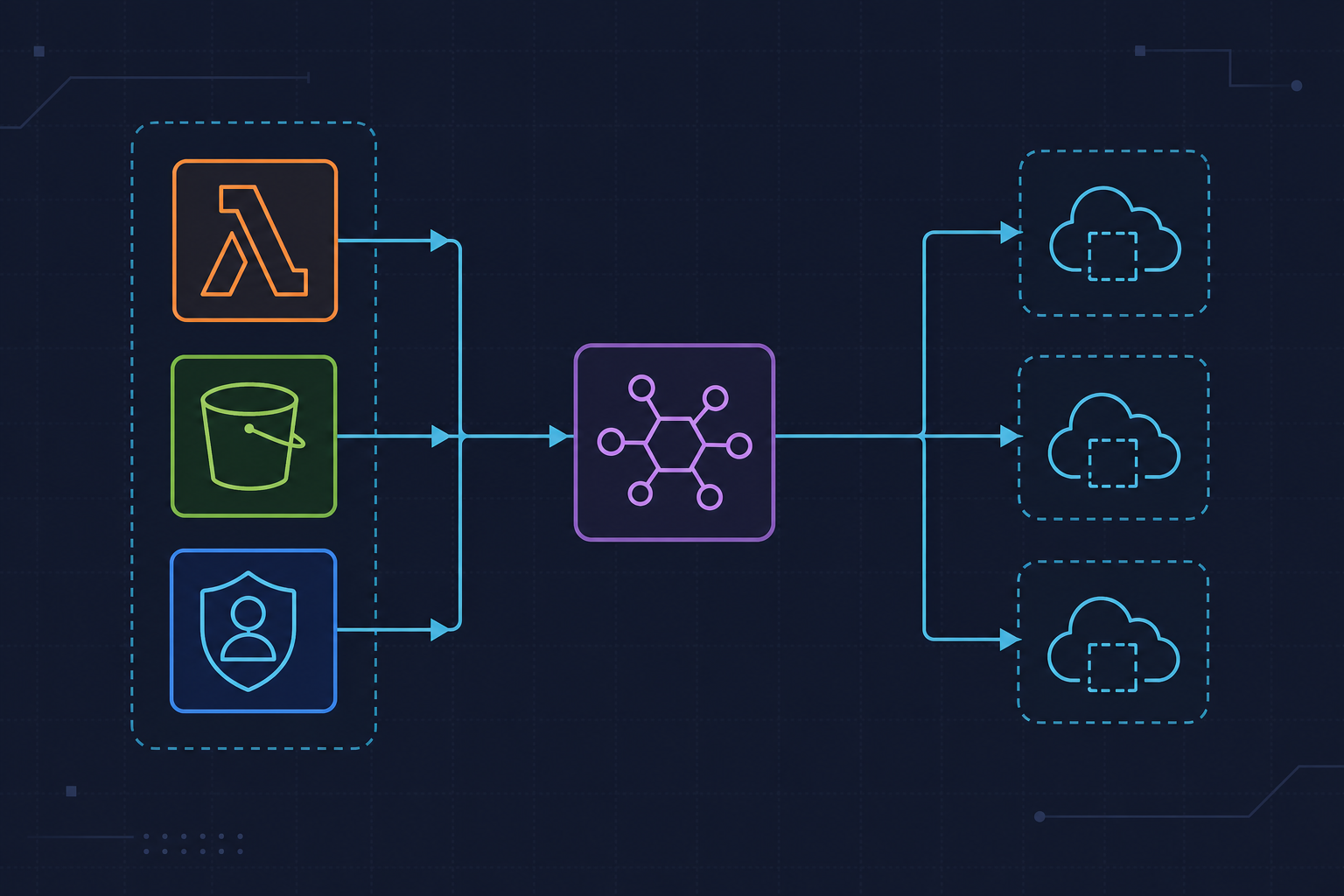
The setup was straightforward on paper. Third-party vendors drop CSV files into an S3 bucket. A Lambda function picks up the S3 event notification, parses the file, and inserts rows into RDS PostgreSQL. We chose Lambda over ECS for a few practical reasons: invocations were sporadic (dozens per day, not continuous), we didn’t want to manage a running container 24/7, and the per-invocation billing model made cost predictable at low volume.
The stack: Python 3.11, boto3 1.34.x, Terraform for all infra, and S3 event notifications wired directly to Lambda — not EventBridge, which we weren’t using at the time. The team had solid Python experience but relatively limited exposure to Lambda’s async invocation model and its failure semantics. We assumed it would behave like a normal function call. It doesn’t. That assumption is where the trouble started.
If you want broader context on event-driven failure patterns we’ve hit before, the kuryzhev.cloud DevOps archive covers several related post-mortems worth reading alongside this one.
Mistake 1: We Trusted the S3 Event Payload Without Validating It
Our original handler accessed the S3 object key like this:
key = event["Records"][0]["s3"]["object"]["key"]No guard. No validation. Direct dictionary access assuming the payload always matched the documented S3 event schema. That worked fine — until someone clicked “Send test event” from the Lambda console. The S3 test event uses a different schema. It sends a fake key value of AmazonS3ExampleObject and the overall structure is close enough to look real, but critically it doesn’t match what a live S3 notification sends. The function threw a KeyError, Lambda logged it to CloudWatch, and then… nothing. The invocation was gone.
Watch out for this: S3 event notifications are asynchronous and do not retry by default on their own — Lambda handles retry behavior, and with no DLQ configured, failed invocations simply disappear. We had no dead-letter queue. We had no alarm on Lambda errors. We had CloudWatch Logs set to “Never expire” with no metric filter watching for ERROR lines. Six hours passed before the vendor noticed.
The second gotcha here: S3 URL-encodes object keys. A filename like vendor upload Q1.csv arrives as vendor+upload+Q1.csv. If you access the key and pass it directly to s3_client.get_object(), you’ll get a NoSuchKey error that looks like the file doesn’t exist — when it’s right there in the bucket. Always call urllib.parse.unquote_plus(key) immediately after extracting the key. We weren’t doing that either.
Here’s the validated event parsing function we use now. It extracts the bucket and key safely, decodes the URL-encoding, and explicitly rejects console test events before any processing begins:
# lambda_function.py
# Python 3.11 | boto3 1.34.x
# S3-triggered Lambda with structured error handling and DLQ support

import json
import csv
import io
import logging
import urllib.parse
import boto3
from botocore.exceptions import ClientError

logger = logging.getLogger()
logger.setLevel(logging.INFO)

s3_client = boto3.client("s3")


def parse_s3_event(event: dict) -> tuple[str, str]:
    """
    Extract and validate bucket name and object key from S3 event payload.
    URL-decodes the key — critical for filenames with spaces or special chars.
    Raises ValueError on malformed or test event payloads.
    """
    try:
        record = event["Records"][0]
        bucket = record["s3"]["bucket"]["name"]
        # S3 encodes object keys — unquote_plus handles spaces encoded as '+'
        key = urllib.parse.unquote_plus(record["s3"]["object"]["key"])
    except (KeyError, IndexError) as e:
        raise ValueError(f"Malformed S3 event payload: {e}") from e

    # Reject S3 console test events — they send a fake key
    if key == "AmazonS3ExampleObject":
        raise ValueError("Received S3 test event — skipping processing")

    return bucket, key
Mistake 2: Unhandled Exceptions Caused Silent Duplicate Processing
Our original handler raised raw exceptions when something went wrong. The thinking was: Lambda will log it, we’ll see it in CloudWatch, and we’ll fix it. That reasoning misses something important about how Lambda handles async invocations.
When a Lambda function invoked asynchronously raises an unhandled exception, Lambda retries it. The default is two additional attempts — three total. You can verify this in the AWS Lambda async invocation docs. We didn’t know that. So when a malformed CSV arrived and our parser threw an exception, Lambda dutifully tried again. And again. The same broken file was processed three times before the retries exhausted.
The damage: we had no idempotency check. There was no record of which S3 keys had already been processed. The first invocation partially inserted rows before failing mid-loop. The retries inserted some of those rows again. We ended up with duplicate records in RDS that took an afternoon to identify and clean up.
Watch out for this: The distinction between retryable and non-retryable errors matters enormously in async Lambda. A transient ClientError from boto3 (throttling, service unavailable) is worth retrying. A malformed CSV or a validation failure is not — retrying it three times just creates three times the mess.
The fix has two parts. First, structured exception handling in the handler itself: catch ValueError for fatal non-retryable conditions, log it, and return a 200 so Lambda doesn’t retry. Re-raise only for genuinely transient errors. Second, set MaximumRetryAttempts to 0 in Terraform for any Lambda handling non-idempotent operations:
def fetch_and_parse_csv(bucket: str, key: str) -> list[dict]:
    """
    Fetch CSV from S3 and parse with stdlib csv — no pandas dependency.
    Raises ClientError for missing objects (non-retryable after DLQ setup).
    """
    try:
        response = s3_client.get_object(Bucket=bucket, Key=key)
    except ClientError as e:
        error_code = e.response["Error"]["Code"]
        if error_code == "NoSuchKey":
            # Fatal — do not retry, let DLQ catch it
            raise ValueError(f"Object not found: s3://{bucket}/{key}") from e
        # Other ClientErrors (throttling, etc.) are retryable — re-raise
        raise

    body = response["Body"].read().decode("utf-8")
    reader = csv.DictReader(io.StringIO(body))
    return list(reader)


def lambda_handler(event: dict, context) -> dict:
    """
    Main Lambda handler. Structured error handling:
    - ValueError → fatal, log and return 200 to prevent retry
    - ClientError (non-NoSuchKey) → re-raise to trigger retry / DLQ
    """
    logger.info("Received event: %s", json.dumps(event))

    try:
        bucket, key = parse_s3_event(event)
        logger.info("Processing s3://%s/%s", bucket, key)

        rows = fetch_and_parse_csv(bucket, key)
        logger.info("Parsed %d rows from %s", len(rows), key)

        # TODO: insert rows into RDS or forward downstream
        # process_rows(rows)

        return {"statusCode": 200, "body": f"Processed {len(rows)} rows"}

    except ValueError as e:
        # Non-retryable: log, do not re-raise (prevents unnecessary retries)
        logger.error("Fatal validation error: %s", str(e))
        return {"statusCode": 400, "body": str(e)}

    except Exception as e:
        # Retryable or unexpected: re-raise so Lambda/DLQ handles it
        logger.exception("Unexpected error processing event")
        raise
Mistake 3: Broad IAM Permissions and a Bloated Deployment Package
This one is actually two mistakes that compounded each other, and I’m grouping them because they both came from the same root cause: we shipped fast and didn’t review the details.
The IAM execution role we originally attached had s3:* on *. It passed our security review because the reviewer was focused on the VPC config and missed the policy. AWS Security Hub flagged it later under rule S3.6, but by then it had been in production for three weeks. Least-privilege for an S3-reading Lambda is simple: s3:GetObject scoped to arn:aws:s3:::your-bucket-name/*. Nothing else. If the function never needs to list or write, those permissions shouldn’t exist on the role.
The second mistake: we bundled the entire pandas library into the deployment package because one engineer was comfortable with it for CSV parsing. Pandas compressed is roughly 45 MB. Our deployment package hit the size limit warnings and our cold start went from around 800ms to over 4200ms. That’s a 5x regression for functionality that Python’s stdlib csv module handles in 20 lines with zero dependencies. Lambda has a 250 MB unzipped deployment package limit — we were well under it, but cold start latency scales with package size regardless. We measured this directly: same function logic, stdlib csv vs. pandas. The difference was consistent across 20 test invocations.
I stopped using pandas in Lambda entirely after this. For anything beyond simple parsing — aggregations, complex transforms — I’d rather push that work into a proper compute layer (ECS, Glue) than fight Lambda’s package constraints. The AWS Lambda Python packaging docs explain dependency management and layer options if you genuinely need heavy libraries.
What We Do Differently Now
The full Terraform configuration below captures the hardened setup: DLQ attached, retry attempts set to zero, IAM scoped to the specific bucket ARN, and the source_account condition on the Lambda permission resource to prevent confused deputy attacks when S3 is the invoking principal.
# terraform/lambda.tf
# Terraform ~> 5.x | AWS provider ~> 5.x
# Lambda function with scoped IAM, DLQ, and retry config

resource "aws_sqs_queue" "lambda_dlq" {
  name                      = "csv-processor-dlq"
  message_retention_seconds = 1209600 # 14 days
}

resource "aws_lambda_function" "csv_processor" {
  function_name = "csv-processor"
  runtime       = "python3.11"
  handler       = "lambda_function.lambda_handler"
  filename      = "lambda.zip"
  role          = aws_iam_role.lambda_exec.arn
  timeout       = 30
  memory_size   = 256

  # Avoid bundling heavy libs — keep package lean for cold start
  ephemeral_storage {
    size = 512 # MB, default; increase only if /tmp needed
  }

  dead_letter_config {
    target_arn = aws_sqs_queue.lambda_dlq.arn
  }
}

resource "aws_lambda_function_event_invoke_config" "csv_processor" {
  function_name          = aws_lambda_function.csv_processor.function_name
  maximum_retry_attempts = 0 # Disable async retries — we handle idempotency manually
}

# Least-privilege IAM — scoped to specific bucket, not s3:*
resource "aws_iam_role_policy" "lambda_s3_policy" {
  name = "csv-processor-s3-policy"
  role = aws_iam_role.lambda_exec.id

  policy = jsonencode({
    Version = "2012-10-17"
    Statement = [
      {
        Effect   = "Allow"
        Action   = ["s3:GetObject"]
        Resource = "arn:aws:s3:::your-bucket-name/*" # Scope to bucket, not *
      },
      {
        Effect   = "Allow"
        Action   = ["sqs:SendMessage"]
        Resource = aws_sqs_queue.lambda_dlq.arn
      }
    ]
  })
}

# Allow S3 to invoke Lambda — include SourceAccount to prevent confused deputy
resource "aws_lambda_permission" "allow_s3" {
  statement_id   = "AllowS3Invoke"
  action         = "lambda:InvokeFunction"
  function_name  = aws_lambda_function.csv_processor.function_name
  principal      = "s3.amazonaws.com"
  source_account = var.aws_account_id # Prevents confused deputy attack
  source_arn     = "arn:aws:s3:::your-bucket-name"
}
Beyond the code, we added three process gates that must pass before any async Lambda merges to main. First: the function must be tested with both a real S3 event payload and an S3 console test event — the test event should be handled gracefully, not crash. Second: cold start must be measured and confirmed under 1 second on a clean invocation; if it’s over that, the package is too large. Third: a CloudWatch alarm on DLQ message count must exist and be confirmed active. No alarm, no merge. We also set all Lambda log groups to 14-day retention — “Never expire” is not a default we accept anymore after seeing what log storage costs compound to across dozens of functions.
The AWS Lambda S3 trigger Python pattern is genuinely simple when it works. The failure modes are subtle and the consequences — silent data loss, duplicate writes, security exposure — are disproportionately severe for how small the mistakes are. Every one of these was a one-line fix. The cost was not catching them before production.