What We’re Building
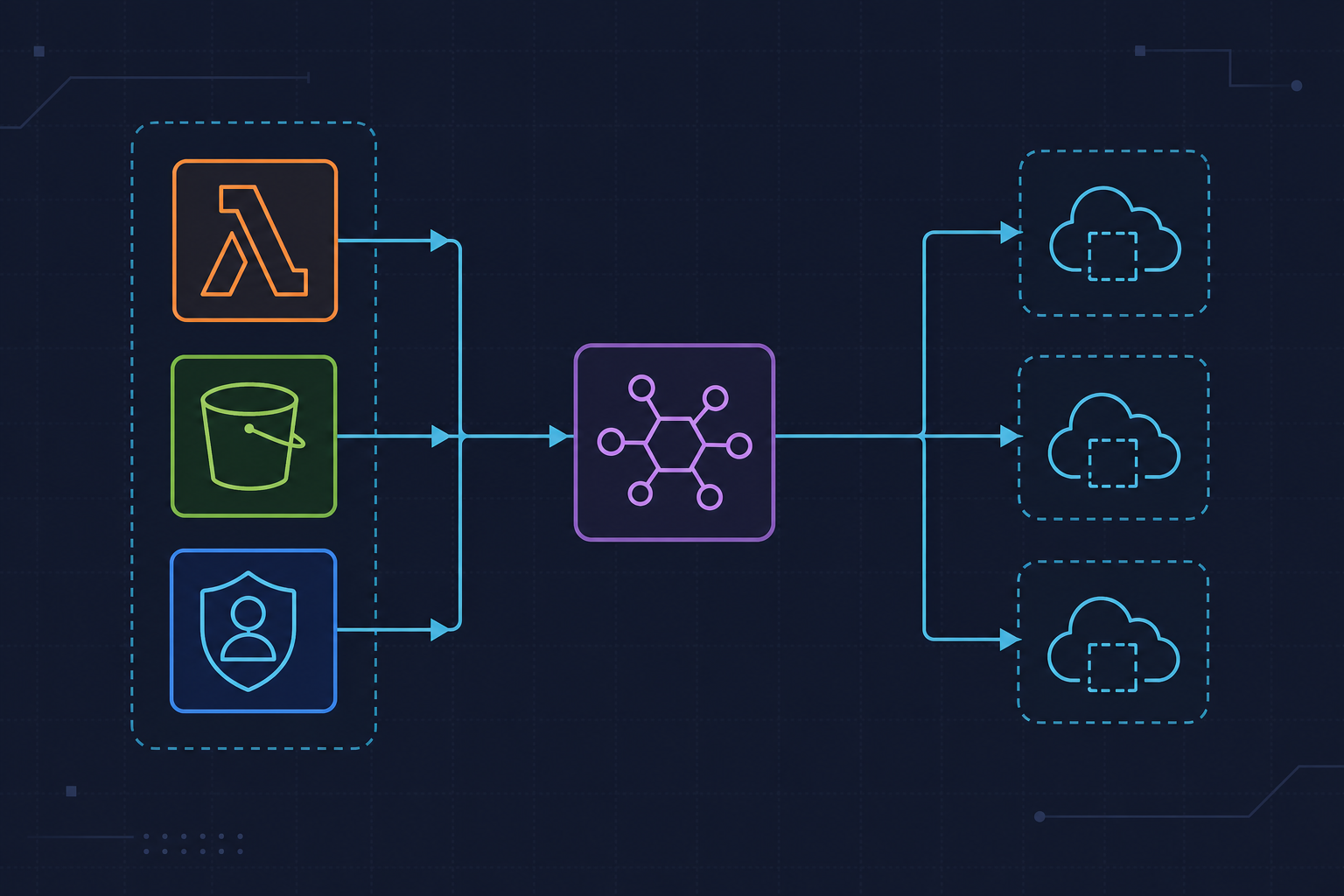
In this tutorial we’ll wire up an AWS Lambda function to an S3 bucket so that every time a file lands in the bucket, Lambda fires automatically. We’ll write the handler in Python, parse the S3 event payload, process the object, and wrap everything in solid error handling. This is a pattern you’ll use constantly in real pipelines — log ingestion, image processing, ETL triggers, you name it.
Prerequisites
You’ll need an AWS account, the AWS CLI configured locally, and Python 3.11. We’ll create the Lambda function, the S3 bucket, and the trigger all from the CLI so you can reproduce this in any environment or drop it into a pipeline later.
Create the S3 Bucket and Lambda Role
First, create a bucket and an IAM role that Lambda will assume. The role needs permissions to read from S3 and write logs to CloudWatch.
# Create the S3 bucket (replace BUCKET_NAME with something globally unique)
aws s3api create-bucket \
  --bucket my-lambda-trigger-bucket-2024 \
  --region us-east-1

# Create the IAM trust policy file
cat > trust-policy.json << 'EOF'
{
  "Version": "2012-10-17",
  "Statement": [
    {
      "Effect": "Allow",
      "Principal": { "Service": "lambda.amazonaws.com" },
      "Action": "sts:AssumeRole"
    }
  ]
}
EOF

# Create the role
aws iam create-role \
  --role-name lambda-s3-role \
  --assume-role-policy-document file://trust-policy.json

# Attach managed policies
aws iam attach-role-policy \
  --role-name lambda-s3-role \
  --policy-arn arn:aws:iam::aws:policy/service-role/AWSLambdaBasicExecutionRole

aws iam attach-role-policy \
  --role-name lambda-s3-role \
  --policy-arn arn:aws:iam::aws:policy/AmazonS3ReadOnlyAccess
Write the Lambda Handler in Python
Save the following as handler.py. It extracts the bucket name and object key from the S3 event, fetches the object metadata, and handles every realistic failure mode explicitly — missing keys, access errors, unexpected exceptions — so CloudWatch logs are actually useful when something breaks.
import json
import logging
import urllib.parse
import boto3
from botocore.exceptions import ClientError

logger = logging.getLogger()
logger.setLevel(logging.INFO)

s3_client = boto3.client("s3")


def lambda_handler(event, context):
    """
    Triggered by S3 ObjectCreated events.
    Logs object metadata and demonstrates structured error handling.
    """
    logger.info("Received event: %s", json.dumps(event))

    results = []

    for record in event.get("Records", []):
        try:
            result = process_record(record)
            results.append({"status": "ok", "detail": result})
        except ValueError as exc:
            # Bad event structure — log and skip, don't crash the whole batch
            logger.error("Malformed record: %s | error: %s", record, exc)
            results.append({"status": "error", "detail": str(exc)})
        except ClientError as exc:
            error_code = exc.response["Error"]["Code"]
            logger.error("AWS ClientError [%s]: %s", error_code, exc)
            # Re-raise on access denied so the invocation is marked failed
            if error_code in ("AccessDenied", "NoSuchBucket"):
                raise
            results.append({"status": "error", "detail": str(exc)})
        except Exception as exc:
            logger.exception("Unexpected error processing record: %s", record)
            raise  # Let Lambda retry on truly unexpected failures

    logger.info("Batch complete. Results: %s", json.dumps(results))
    return {"processed": len(results), "results": results}


def process_record(record):
    """
    Extract bucket/key from one S3 event record and fetch object metadata.
    Returns a dict with key facts about the uploaded object.
    """
    try:
        bucket = record["s3"]["bucket"]["name"]
        key = urllib.parse.unquote_plus(
            record["s3"]["object"]["key"], encoding="utf-8"
        )
    except KeyError as exc:
        raise ValueError(f"Missing expected field in record: {exc}") from exc

    logger.info("Processing s3://%s/%s", bucket, key)

    response = s3_client.head_object(Bucket=bucket, Key=key)

    metadata = {
        "bucket": bucket,
        "key": key,
        "size_bytes": response.get("ContentLength", 0),
        "content_type": response.get("ContentType", "unknown"),
        "last_modified": str(response.get("LastModified", "")),
        "etag": response.get("ETag", "").strip('"'),
    }

    logger.info("Object metadata: %s", json.dumps(metadata))

    # --- Put your real processing logic here ---
    # e.g. parse CSV, trigger a Step Function, push to SQS, etc.

    return metadata
Package and Deploy the Function
Zip the handler and create the Lambda function. Grab your account ID first — you'll need it for the role ARN.
# Get your AWS account ID
ACCOUNT_ID=$(aws sts get-caller-identity --query Account --output text)

# Zip the handler
zip function.zip handler.py

# Create the Lambda function
aws lambda create-function \
  --function-name s3-event-processor \
  --runtime python3.11 \
  --role arn:aws:iam::${ACCOUNT_ID}:role/lambda-s3-role \
  --handler handler.lambda_handler \
  --zip-file fileb://function.zip \
  --timeout 30 \
  --memory-size 128

# Allow S3 to invoke the function
aws lambda add-permission \
  --function-name s3-event-processor \
  --statement-id s3-invoke \
  --action lambda:InvokeFunction \
  --principal s3.amazonaws.com \
  --source-arn arn:aws:s3:::my-lambda-trigger-bucket-2024

# Attach the S3 notification
FUNCTION_ARN=$(aws lambda get-function \
  --function-name s3-event-processor \
  --query Configuration.FunctionArn \
  --output text)

cat > notification.json << EOF
{
  "LambdaFunctionConfigurations": [
    {
      "LambdaFunctionArn": "${FUNCTION_ARN}",
      "Events": ["s3:ObjectCreated:*"]
    }
  ]
}
EOF

aws s3api put-bucket-notification-configuration \
  --bucket my-lambda-trigger-bucket-2024 \
  --notification-configuration file://notification.json
Test the Trigger End to End
Upload any file to the bucket and then tail the CloudWatch logs to confirm the function fired and logged the metadata correctly.
# Upload a test file
echo "hello from kuryzhev.cloud" > test.txt
aws s3 cp test.txt s3://my-lambda-trigger-bucket-2024/test.txt

# Fetch the latest log stream and print events
LOG_GROUP="/aws/lambda/s3-event-processor"

STREAM=$(aws logs describe-log-streams \
  --log-group-name "$LOG_GROUP" \
  --order-by LastEventTime \
  --descending \
  --limit 1 \
  --query "logStreams[0].logStreamName" \
  --output text)

aws logs get-log-events \
  --log-group-name "$LOG_GROUP" \
  --log-stream-name "$STREAM" \
  --query "events[*].message" \
  --output text
Error Handling Strategy Explained
The handler distinguishes three failure categories on purpose. ValueError catches malformed event payloads — we log and continue so one bad record doesn't kill the whole batch. ClientError catches AWS API failures — we re-raise on hard permission errors so the invocation is marked as failed and you get an alert, but we absorb transient issues like a missing object that was deleted mid-flight. Exception is the catch-all for truly unexpected bugs — we always re-raise here so Lambda's retry policy and dead-letter queue kick in rather than silently swallowing the error.
What to Do Next
From here you can add a Dead Letter Queue (SQS or SNS) to the Lambda function so failed invocations are never lost, set a concurrency limit to protect downstream systems during upload bursts, and move the bucket name into an environment variable so the same deployment package works across staging and production. All of that is covered in upcoming posts on kuryzhev.cloud — stay tuned.