Context
A GPT Slack bot for CI failures sounds like a weekend project, and honestly, it was — the first version shipped in an afternoon. We had 40+ CI/CD pipelines split between GitHub Actions and GitLab CI failing daily, and engineers were burning 10-15 minutes per failure just scrolling raw logs to find the actual error line buried under dependency install noise and retry spam. Someone pitched it in standup: webhook fires on pipeline failure, we grab the job trace, feed it to GPT, post a 3-bullet summary in the channel. Simple.
We built it with Slack Bolt and the OpenAI Python SDK, demoed it against a handful of sample failures, and it looked genuinely great. Clean summaries, right in the thread, no more log-diving. We shipped it to the team channel the same week. It fell apart within seven days — not dramatically at first, just quietly wrong, then loudly wrong. What follows is the honest version of what broke and why, because the demo-to-production gap on this project was bigger than anything else we’d deployed that quarter.
Mistake 1: We Piped the Entire Raw Log Into the Prompt
Our failed CI jobs produced logs anywhere from 20,000 to 80,000 lines — verbose test runners, retried package installs, the usual noise. Our first instinct was “GPT is smart, just send it the whole trace.” So we did, straight into gpt-4-turbo, no filtering.
This broke in a way we didn’t expect. The model has a context limit, and our naive client-side truncation cut logs from the top to fit. The problem is that the actual failure — the stack trace, the exit code, the real error — is almost always near the end of a CI log, not the beginning. So we were feeding GPT the “npm install” spam and dropping the part that mattered. Summaries came back describing something that looked like a successful build. Engineers started ignoring the bot within days because it was confidently wrong.
Then the cost landed. Multi-thousand-line prompts on gpt-4-turbo pushed a single summary to $0.30–$0.80. At 40+ failures a day, that’s a real line item, not a rounding error, and it showed up on the OpenAI billing dashboard a month later as a line someone in finance actually asked about. We were paying premium prices for summaries that were wrong roughly a third of the time. That’s the worst combination you can build.
Mistake 2: We Processed Everything Synchronously Inside the Slack Handler
Slack’s Events API requires an HTTP 200 within 3 seconds of receiving an event, or it assumes the request failed. Our handler was calling OpenAI — 2 to 6 seconds of latency depending on load — before responding to Slack. Every slow failure meant Slack marked our webhook as failed.
Slack then retried the same event, up to 3 times, using the X-Slack-Retry-Num header to tell us it was a retry. We weren’t checking that header, and we had no idempotency logic at all. So a single CI failure could trigger our handler two or three times, each one kicking off its own OpenAI call and posting its own summary into the channel — same failure, slightly reworded, three times over.
Nobody flagged it for almost two weeks because the duplicates were plausible. GPT doesn’t produce identical output on every call, so the three posts read like three independent (if oddly redundant) summaries rather than an obvious bug. It took someone finally asking “why does the bot post twice for the same job” in the channel before we went digging and found the retry storm. This is the kind of bug that’s embarrassing precisely because the fix is one line — check the retry header, or better, dedupe on job ID — and we just hadn’t written it.
Mistake 3: We Sent Secrets Straight to OpenAI Without Scrubbing
This is the one that actually hurt. A failing deploy job had a debug step that ran env on error to help with troubleshooting — a completely reasonable thing to do in isolation. That output included AWS_SECRET_ACCESS_KEY and a database connection string with an embedded password. That raw text went straight into the GPT prompt, and worse, it came back out in the summary and got posted to a Slack channel with over 200 members.
Watch out for this one specifically: we had zero scrubbing or redaction between “fetch log” and “send to OpenAI.” We’d been treating CI logs as trusted internal text, which they are not — they’re one of the most credential-dense artifacts in the entire pipeline, and we were forwarding them to a third-party API and then broadcasting them internally on top of that.
The root issue wasn’t a code bug, it was process. We shipped an internal automation that touches CI logs without any security review. Nobody on the team asked “what happens if a log contains a secret” until it actually happened. We rotated the AWS key within the hour, but the bigger fix was structural: never trust a log’s contents, no matter how internal the source feels.
What We Do Differently Now
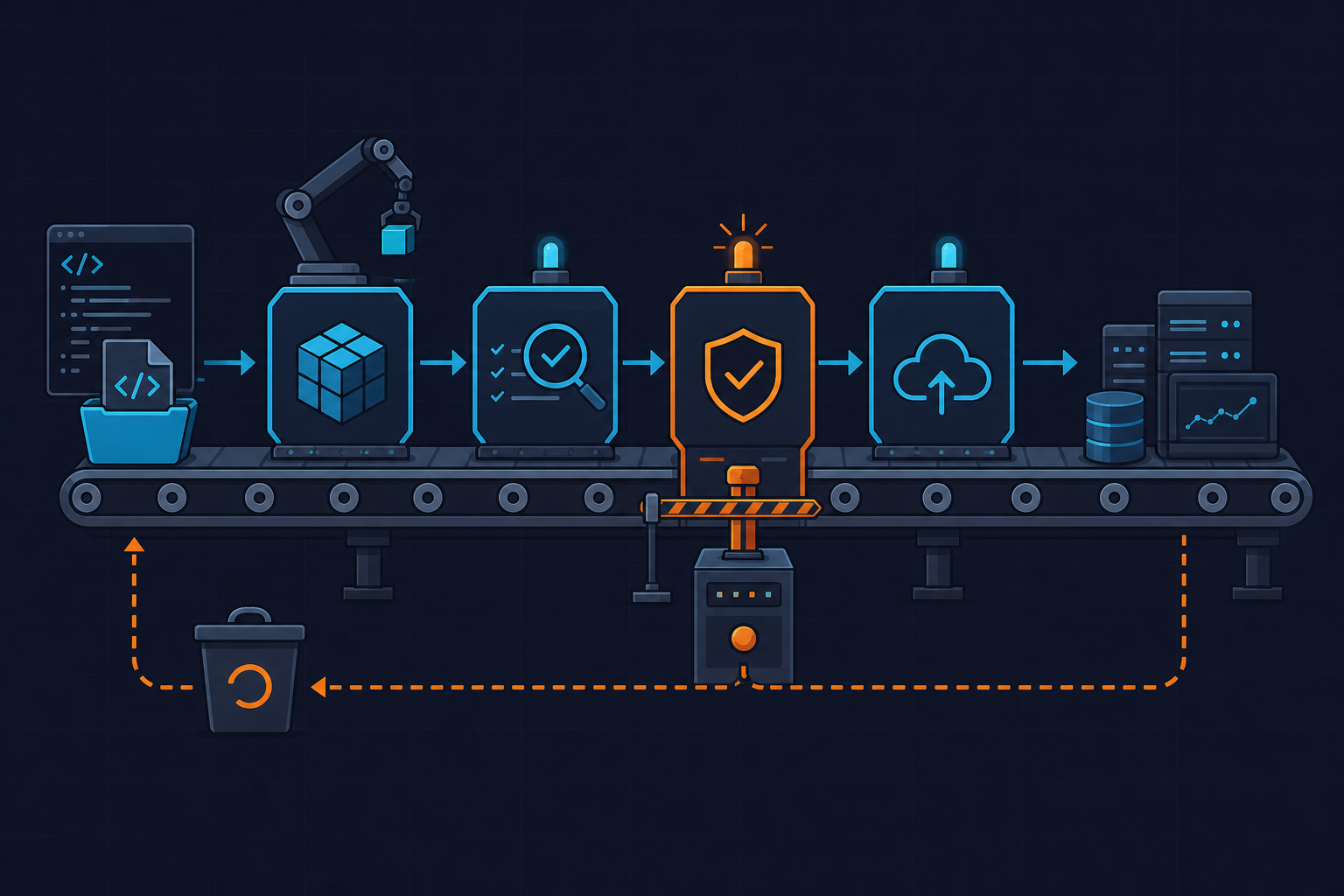
The rebuilt version fixes all three problems together, and it’s what we run in production now. First, log preprocessing: grep for ERROR|FAIL|Traceback|exit code, keep the last 300 relevant lines, count tokens with tiktoken before the API call, and hard-cap input around 4,000 tokens. Second, async everything: ack Slack in under a second with no OpenAI call in that path, process in a background thread or queue, and dedupe on job ID with a short TTL cache so retries don’t produce duplicate posts. Third, and non-negotiable now: a regex scrubbing pass runs on the log before it touches either the OpenAI request or the Slack payload — before, not after.
We also switched the default model from gpt-4-turbo to gpt-4o-mini, which dropped cost roughly 95% for this use case, and only escalate to a bigger model when someone explicitly asks for a deeper analysis. Here’s the current version of the handler, scrubbing, trimming, and async ack included:
# slack_ci_summarizer.py
# Minimal Slack Bolt app: acks fast, processes async, scrubs secrets, caps tokens.

import os, re, hashlib, threading
import requests
import tiktoken
from slack_bolt import App
from openai import OpenAI

app = App(token=os.environ["SLACK_BOT_TOKEN"], signing_secret=os.environ["SLACK_SIGNING_SECRET"])
client = OpenAI(api_key=os.environ["OPENAI_API_KEY"])
seen_jobs = {}  # simple in-memory dedupe cache; use Redis in production

SECRET_PATTERNS = [
    r"AKIA[0-9A-Z]{16}",
    r"-----BEGIN [A-Z ]+PRIVATE KEY-----[\s\S]+?-----END [A-Z ]+PRIVATE KEY-----",
    r"Bearer\s+[A-Za-z0-9._-]+",
    r"(?i)(password|token|secret)\s*=\s*\S+",
]

def scrub(log_text: str) -> str:
    for pattern in SECRET_PATTERNS:
        log_text = re.sub(pattern, "[REDACTED]", log_text)
    return log_text

def trim_relevant_lines(log_text: str, max_lines: int = 300) -> str:
    # keep lines that matter; fall back to last N lines if nothing matches
    hits = [l for l in log_text.splitlines() if re.search(r"error|fail|traceback|exit code", l, re.I)]
    if not hits:
        return "\n".join(log_text.splitlines()[-max_lines:])
    return "\n".join(hits[-max_lines:])

def cap_tokens(text: str, limit: int = 4000) -> str:
    enc = tiktoken.get_encoding("cl100k_base")
    tokens = enc.encode(text)
    return enc.decode(tokens[:limit]) if len(tokens) > limit else text

def process_failure(job_id: str, log_url: str, channel: str, thread_ts: str):
    log_hash = hashlib.sha256((job_id).encode()).hexdigest()
    if log_hash in seen_jobs:
        return  # dedupe retries / repeated triggers
    seen_jobs[log_hash] = True

    raw_log = requests.get(log_url, timeout=10).text
    cleaned = cap_tokens(trim_relevant_lines(scrub(raw_log)))

    resp = client.chat.completions.create(
        model="gpt-4o-mini",  # cheap default; escalate manually if needed
        messages=[
            {"role": "system", "content": "Summarize this CI failure in 3 bullets: root cause, failed step, suggested fix."},
            {"role": "user", "content": cleaned},
        ],
    )
    summary = resp.choices[0].message.content
    app.client.chat_postMessage(channel=channel, thread_ts=thread_ts, text=summary)

@app.event("app_mention")
def handle_mention(body, ack):
    ack()  # respond within 3s, no OpenAI calls here
    event = body["event"]
    threading.Thread(
        target=process_failure,
        args=(event["client_msg_id"], event["text"], event["channel"], event["ts"]),
    ).start()

if __name__ == "__main__":
    app.start(port=3000)
And here’s what the scrubbing pass actually does to a real (sanitized) log excerpt before anything leaves our network:
# Example: before/after scrubbing on a real log excerpt

BEFORE:
Deploying to production...
export AWS_SECRET_ACCESS_KEY=wJalrXUtnFEMI/K7MDENG/bPxRfiCYEXAMPLEKEY
DB_CONN=postgres://admin:[email protected]:5432/app
Error: connection refused, retrying...
Traceback (most recent call last):
  File "deploy.py", line 42, in run
    conn = psycopg2.connect(DB_CONN)
psycopg2.OperationalError: could not connect to server

AFTER (sent to GPT + posted in Slack):
Deploying to production...
export [REDACTED]
DB_CONN=[REDACTED]
Error: connection refused, retrying...
Traceback (most recent call last):
  File "deploy.py", line 42, in run
    conn = psycopg2.connect(DB_CONN)
psycopg2.OperationalError: could not connect to server

# Resulting GPT summary (structured):
{
  "root_cause": "Deploy step could not reach the database (connection refused)",
  "failed_step": "deploy.py:42 - psycopg2.connect",
  "suggested_fix": "Verify DB host is reachable from the deploy runner and check network/security group rules"
}
We also moved from free-form prose to a structured JSON prompt (root cause, failed step, suggested fix), which is far easier to parse reliably and render as Slack Block Kit sections instead of a wall of text. A summary cache keyed by log hash means an identical retriggered failure doesn’t cost a second API call. Cost per summary dropped from $0.30–$0.80 down to roughly $0.01–$0.02, and, more importantly, nothing sensitive leaves our infrastructure unredacted anymore.
If you’re pulling job traces yourself, GitLab exposes them via GET /api/v4/projects/:id/jobs/:job_id/trace and GitHub Actions via GET /repos/{owner}/{repo}/actions/jobs/{job_id}/logs — check the GitHub Actions REST API docs for auth scopes before wiring this into anything that touches production secrets. We cover more of our CI/CD automation experiments over at kuryzhev.cloud’s CI/CD category if you want to see how other pieces of this pipeline evolved.
A GPT Slack bot for CI failures is genuinely useful once it’s async, scoped, and scrubbed — but none of those three things are optional, and we learned that the hard way, one at a time, over about three weeks.