Most Jenkins pipelines that deploy to AWS ECS work fine in a demo and silently leak credentials, orphan ECR images, and block build agents for hours the moment they hit real production load. I’ve inherited three of these pipelines in the last two years. The problems are always the same. The fixes are not complicated — but you have to understand why the mistakes happen in the first place.
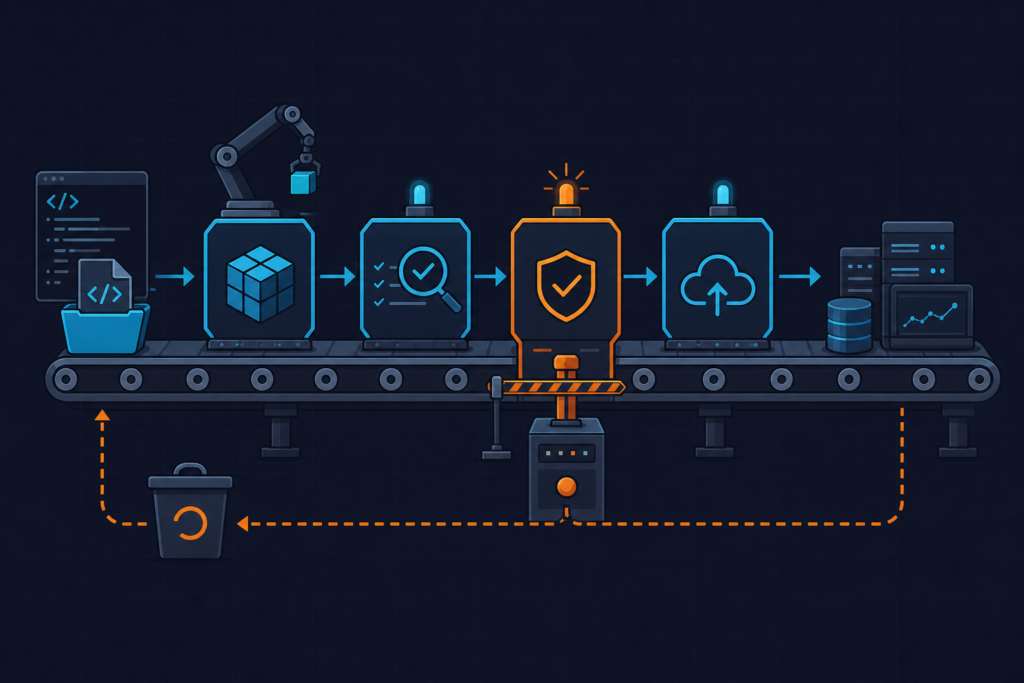
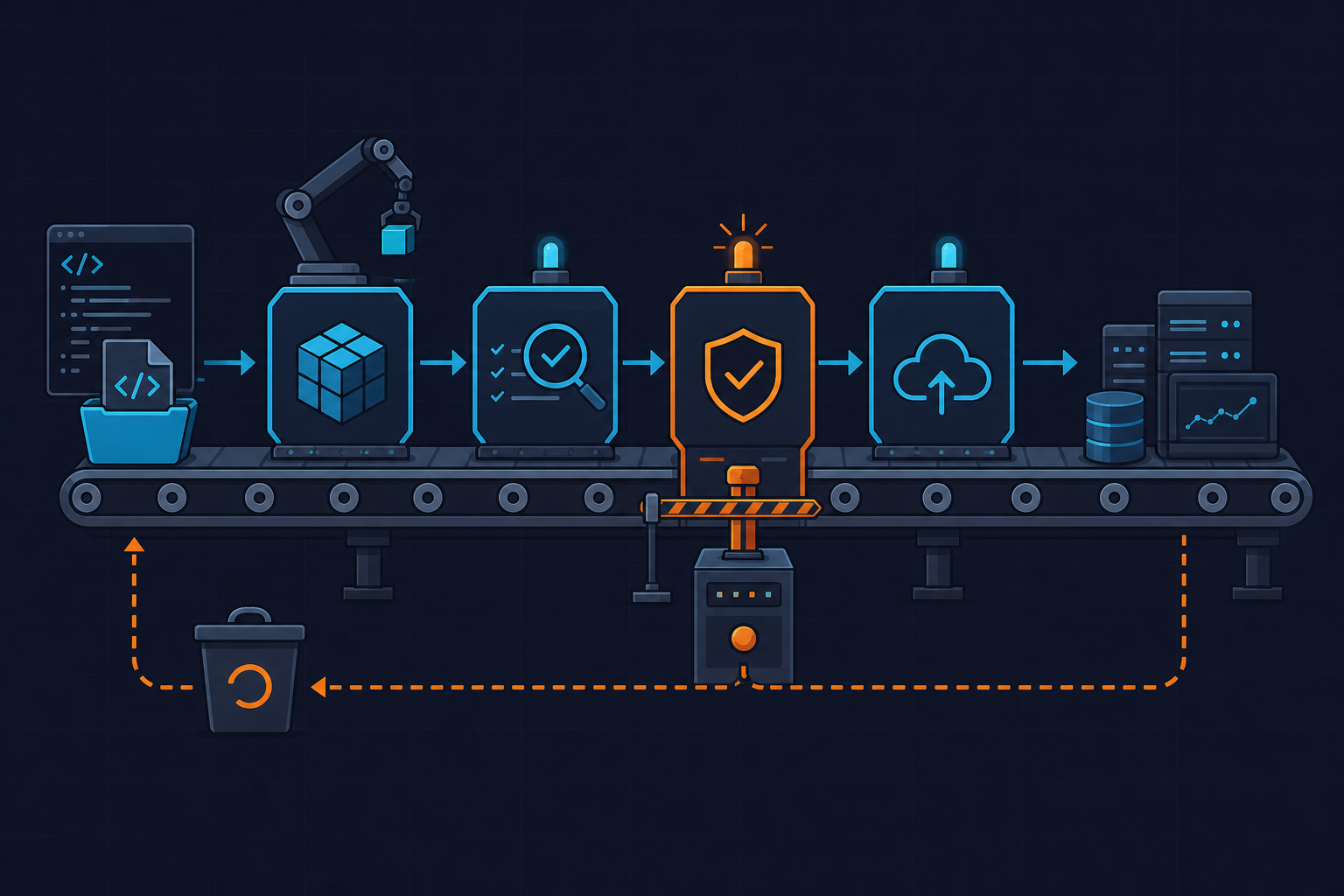
This is a deep-dive into how Jenkins pipelines actually work internally, where teams consistently get the architecture wrong, and what a production-grade Jenkinsfile looks like when you need reliable build, test, and AWS deploy stages without the hidden costs.
What a Jenkins Pipeline Actually Does End-to-End

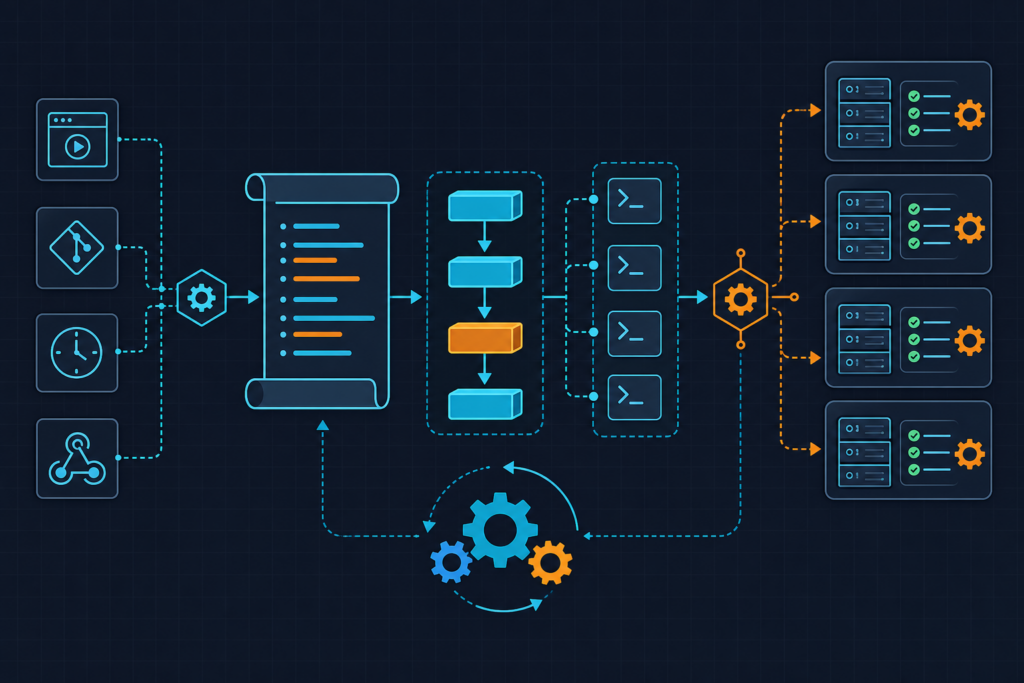
A Jenkinsfile is not a shell script with YAML on top. It is a declarative DSL that Jenkins compiles into a pipeline execution graph — closer to a DAG than a linear sequence of commands. Understanding this distinction matters because it changes how you reason about failures, retries, and resource allocation.
The three core primitives — agent, stage, and steps — have completely separate lifecycles. An agent directive provisions a workspace and an executor. A stage is a logical grouping that appears in the UI and can carry its own agent declaration. steps are the actual commands that run inside that agent context. When you declare agent none at the top level and then specify an agent per stage, Jenkins allocates and releases executors independently for each stage. This is intentional isolation — and most teams skip it entirely.
Environment variables declared in the global environment block propagate into every stage automatically. Variables declared inside a stage are scoped to that stage only. The SCM checkout step that Jenkins runs automatically on the default agent is not the same as running git clone manually — it sets GIT_COMMIT, GIT_BRANCH, and other built-in variables that you can reference downstream.
One thing that trips people up constantly: mixing declarative and scripted pipeline syntax. You can embed a script {} block inside declarative stages for Groovy logic, but you cannot use declarative directives like when or post inside a fully scripted pipeline. Mixing them in the wrong direction causes silent failures where Jenkins simply skips the directive without throwing an error. Jenkins LTS 2.440.3 is the current stable release — pipelines written for 2.3xx may fail on agent directive syntax changes, so check your version before debugging mysterious parse errors.
How Teams Use Jenkins Pipelines Wrong
I’ve seen the same three mistakes across every team that hasn’t gone through a pipeline audit. Each one is invisible until it causes an incident.
Mistake 1: Hardcoding AWS credentials as environment variables. This pattern appears in a surprising number of production Jenkinsfiles:
environment {
    AWS_ACCESS_KEY_ID = credentials('aws-key')  // WRONG — exposes key ID in UI
}
Even when using the credentials() helper, setting credentials directly in the environment block exposes the key ID in the Jenkins “Environment Variables” panel, which is visible to every user with read access to the job. The correct approach uses withCredentials with AmazonWebServicesCredentialsBinding — scoped to the exact steps that need AWS access. Watch out for this: the Credentials Binding Plugin version 657.v2b_19db_7d6d6d or later is required for the AmazonWebServicesCredentialsBinding class. Earlier versions fail silently and fall back to injecting the raw string.
Mistake 2: Running all stages on the master node. When every stage uses agent any without specifying a label or Docker image, Jenkins defaults to the controller. On a team running 10 microservices, this turns a 4-minute build into a 22-minute queue. The controller is not an execution node — it is an orchestration node. Running builds on it also means a runaway build can starve the Jenkins UI of threads.
Mistake 3: Skipping the post block entirely. Without a post { always { cleanWs() } } block, workspaces accumulate on persistent agents. I’ve seen a 200GB disk fill up over a weekend from a pipeline that ran every 15 minutes and never cleaned up. Beyond disk exhaustion, skipping the post block means failed deployments leave ECR images untagged and S3 artifacts orphaned — storage costs compound at $0.10/GB/month with no upper bound. Jenkins does not clean workspaces automatically between builds. This is not a default you can rely on.
There’s also a concurrency issue worth calling out separately: not setting disableConcurrentBuilds() in the options block. Concurrent deploys to the same ECS service cause task definition version conflicts and rollback failures that are genuinely hard to debug after the fact.
The Correct Approach: Jenkinsfile for Build, Test, and AWS Deploy
Here is the full production-grade Jenkinsfile we use for a Java/Maven service deploying to AWS ECS. Every design decision is intentional — I’ll explain the non-obvious ones inline.
This pipeline uses per-stage Docker agents to isolate environments, stash/unstash to pass artifacts between stages, and withCredentials scoped tightly around AWS CLI calls. The IMAGE_TAG uses the short Git SHA for traceability — you can look at any running ECS task and trace it back to an exact commit.
// Jenkinsfile — declarative pipeline for build, test, and deploy to AWS ECS
// Requires: Docker Pipeline plugin, AWS Credentials Binding plugin, JUnit plugin
// Jenkins LTS 2.440.3+, AWS CLI v2 pre-installed on agent image

pipeline {
    agent none  // No global agent — each stage declares its own to isolate environments

    options {
        disableConcurrentBuilds()           // Prevent parallel deploys to same ECS service
        timeout(time: 30, unit: 'MINUTES')  // Kill runaway builds; protects agent pool
        buildDiscarder(logRotator(numToKeepStr: '20'))
    }

    environment {
        AWS_REGION      = 'us-east-1'
        ECR_REGISTRY    = '123456789012.dkr.ecr.us-east-1.amazonaws.com'
        ECR_REPO        = 'my-app'
        IMAGE_TAG       = "${env.GIT_COMMIT[0..7]}"  // Short SHA for traceability
        ECS_CLUSTER     = 'prod-cluster'
        ECS_SERVICE     = 'my-app-service'
    }

    stages {
        stage('Build') {
            agent {
                docker {
                    image 'maven:3.9.6-eclipse-temurin-21'
                    args  '-v $HOME/.m2:/root/.m2'  // Cache local Maven repo across builds
                }
            }
            steps {
                sh 'mvn clean package -DskipTests -q'  // Tests run in dedicated stage
                stash name: 'build-artifact', includes: 'target/*.jar'
            }
        }

        stage('Test') {
            agent {
                docker {
                    image 'maven:3.9.6-eclipse-temurin-21'
                    args  '-v $HOME/.m2:/root/.m2'
                }
            }
            steps {
                unstash 'build-artifact'
                sh 'mvn test -q'
            }
            post {
                always {
                    // Publish results even on test failure so failures are visible in UI
                    junit 'target/surefire-reports/**/*.xml'
                }
            }
        }

        stage('Docker Build & Push') {
            agent { label 'docker-agent' }  // Agent with Docker daemon access
            steps {
                unstash 'build-artifact'
                withCredentials([[
                    $class:             'AmazonWebServicesCredentialsBinding',
                    credentialsId:      'aws-ecr-credentials',  // Stored in Jenkins Credentials
                    accessKeyVariable:  'AWS_ACCESS_KEY_ID',
                    secretKeyVariable:  'AWS_SECRET_ACCESS_KEY'
                ]]) {
                    sh """
                        # Authenticate to ECR — token valid 12 hours
                        aws ecr get-login-password --region ${AWS_REGION} \
                          | docker login --username AWS --password-stdin ${ECR_REGISTRY}

                        # Build with BuildKit for parallel layer execution
                        DOCKER_BUILDKIT=1 docker build \
                          --cache-from ${ECR_REGISTRY}/${ECR_REPO}:latest \
                          -t ${ECR_REGISTRY}/${ECR_REPO}:${IMAGE_TAG} \
                          -t ${ECR_REGISTRY}/${ECR_REPO}:latest .

                        docker push ${ECR_REGISTRY}/${ECR_REPO}:${IMAGE_TAG}
                        docker push ${ECR_REGISTRY}/${ECR_REPO}:latest
                    """
                }
            }
        }

        stage('Deploy to ECS') {
            agent { label 'docker-agent' }
            when {
                branch 'main'  // Only deploy from main branch; feature branches stop here
            }
            steps {
                // Manual approval gate — times out after 15 min to release the executor
                timeout(time: 15, unit: 'MINUTES') {
                    input message: "Deploy ${IMAGE_TAG} to production ECS?", ok: 'Deploy'
                }
                withCredentials([[
                    $class:             'AmazonWebServicesCredentialsBinding',
                    credentialsId:      'aws-ecr-credentials',
                    accessKeyVariable:  'AWS_ACCESS_KEY_ID',
                    secretKeyVariable:  'AWS_SECRET_ACCESS_KEY'
                ]]) {
                    sh """
                        aws ecs update-service \
                          --region ${AWS_REGION} \
                          --cluster ${ECS_CLUSTER} \
                          --service ${ECS_SERVICE} \
                          --force-new-deployment
                    """
                }
            }
        }
    }

    post {
        always {
            cleanWs()  // Mandatory: prevents disk exhaustion on persistent agents
        }
        failure {
            echo "Pipeline failed on branch ${env.BRANCH_NAME} at commit ${IMAGE_TAG}"
        }
    }
}
One gotcha worth calling out: the JUnit glob pattern matters. Using target/surefire-reports/**/*.xml scopes the search correctly. If you use **/surefire-reports/**/*.xml without the target/ prefix, Jenkins scans the entire workspace and slows test result parsing by 3–5x on large repos. I made this mistake on a monorepo with 40 modules and spent an afternoon wondering why the post-build step was taking longer than the tests themselves.
Also watch out for the AWS CLI path issue. On Amazon Linux 2, AWS CLI v2 installs to /usr/local/bin/aws. The v1 path is /usr/bin/aws. If your Docker agent image has both installed, the wrong one can silently take precedence depending on PATH ordering — and the ECR login command syntax differs between versions in ways that produce confusing authentication errors rather than a clear “wrong version” message.
Advanced Patterns: Shared Libraries, Approvals, and Multi-Environment Promotion
Once you have one pipeline working correctly, the next problem is copy-paste drift across 20 microservices. Every team I’ve worked with hits this around service number five or six. The answer is Jenkins Shared Libraries.
A Shared Library lives in a separate Git repository with a specific directory structure: vars/ for global step functions, src/ for Groovy classes, and resources/ for static files. Deviating from this structure causes No such DSL method errors that are not immediately obvious. The library is loaded at the top of any Jenkinsfile with @Library('jenkins-shared-libs@main') _ — the trailing underscore is required and easy to forget.
Here is a real shared library helper we use for ECS deployments. The key addition over the inline approach is the aws ecs wait services-stable call, which blocks until the ECS service reaches steady state or fails the pipeline. Without this, a deployment that pushes a broken image appears successful in Jenkins — ECS just quietly fails the task and rolls back, and you find out from an alert 10 minutes later.
// vars/ecsDeployHelper.groovy — Shared Library example
// Stored in: https://github.com/org/jenkins-shared-libs (loaded via @Library annotation)
// Load in Jenkinsfile with: @Library('jenkins-shared-libs@main') _

/**
 * Deploys a Docker image to an ECS service and waits for stability.
 * Usage: ecsDeployHelper.deploy(cluster: 'prod-cluster', service: 'my-app', region: 'us-east-1')
 */
def deploy(Map config) {
    // Validate required keys — fail fast with a clear message rather than cryptic AWS error
    ['cluster', 'service', 'region'].each { key ->
        if (!config[key]) error("ecsDeployHelper.deploy: missing required param '${key}'")
    }

    echo "Deploying to ECS cluster=${config.cluster} service=${config.service}"

    sh """
        aws ecs update-service \
          --region ${config.region} \
          --cluster ${config.cluster} \
          --service ${config.service} \
          --force-new-deployment

        # Wait up to 10 minutes for service to reach steady state
        # Fails pipeline if deployment does not stabilize — catches bad images early
        aws ecs wait services-stable \
          --region ${config.region} \
          --cluster ${config.cluster} \
          --services ${config.service}
    """

    echo "ECS service ${config.service} reached stable state successfully"
}

return this
For multi-environment promotion, we use a choice parameter — params.ENVIRONMENT set to dev/staging/prod — combined with environment-specific credential blocks. The pattern keeps a single Jenkinsfile per service while allowing environment-specific IAM roles and regions. The IAM role attached to the Jenkins EC2 instance should use sts:AssumeRole to access cross-account resources — never store long-lived access keys on the instance itself. This is not just a best practice; it is the only approach that survives a credential rotation without pipeline downtime.
The input step timeout deserves its own warning. If you write input message: 'Deploy to production?' without wrapping it in timeout(time: 15, unit: 'MINUTES'), the executor thread hangs indefinitely waiting for a human. That executor is blocked. On a small Jenkins instance with two executors, one forgotten approval gate can stall your entire CI system. I stopped using bare input steps entirely after this happened during an on-call weekend.
Performance Notes: Build Time, Agent Cost, and ECR Storage
The performance decisions in a Jenkins pipeline have real dollar amounts attached to them. These are not theoretical optimizations.
Docker layer caching is the single highest-impact change you can make to build time. Without the --cache-from flag pulling a warm cache image from ECR, every build rebuilds all layers from scratch. With it, and with a well-structured Dockerfile that copies dependency files before source code, average build time drops from roughly 8 minutes to around 90 seconds for a typical Java service. The requirement is that you push the :latest tag after every successful build — which the pipeline above does — so the cache is always warm for the next run. Also enable BuildKit: DOCKER_BUILDKIT=1 enables parallel execution of independent RUN instructions. Without it, they execute sequentially and add 2–4 minutes to image build time depending on your Dockerfile structure.
Spot instance agents via the EC2 Fleet Plugin cut compute cost by 60–70% for non-production builds. The configuration that matters most is idleTerminationMinutes: 5. Without it, idle agents accumulate overnight and you discover a surprisingly large EC2 bill the next morning. Five minutes is aggressive but safe for most build patterns — agents provision in under 60 seconds on modern AMIs.
ECR lifecycle policies are not optional if you run pipelines frequently. Every push creates a new image. Without an explicit lifecycle policy, ECR retains every image indefinitely at $0.10/GB/month. For a service with a 500MB image running 20 deploys per day, that compounds quickly. Set a policy that retains the last 30 tagged images and expires all untagged images after 1 day. The AWS CLI command is straightforward:
aws ecr put-lifecycle-policy \
  --repository-name my-app \
  --lifecycle-policy-text '{
    "rules": [
      {
        "rulePriority": 1,
        "description": "Expire untagged images after 1 day",
        "selection": {
          "tagStatus": "untagged",
          "countType": "sinceImagePushed",
          "countUnit": "days",
          "countNumber": 1
        },
        "action": { "type": "expire" }
      },
      {
        "rulePriority": 2,
        "description": "Keep last 30 tagged images",
        "selection": {
          "tagStatus": "tagged",
          "tagPrefixList": ["v"],
          "countType": "imageCountMoreThan",
          "countNumber": 30
        },
        "action": { "type": "expire" }
      }
    ]
  }'
One last performance note: the stash/unstash mechanism has a 100MB default limit. Artifacts larger than this need to go through S3 using the S3 plugin or explicit AWS CLI copy commands. Hitting this limit produces an error that is not always immediately obvious about the cause — hudson.remoting.ChannelClosedException is the error you’ll see if the agent JVM also runs out of heap during a large stash operation. Set -Xmx512m in agent JVM arguments via the EC2 plugin configuration if you see this.
For the full Jenkins pipeline deploy AWS reference and related CI/CD patterns, see the kuryzhev.cloud DevOps_DayS archive. The official Jenkins Pipeline Syntax documentation and AWS ECS service update reference are the two external sources worth bookmarking alongside this.