Your app is up, DNS resolves, and yet the browser throws NET::ERR_CERT_AUTHORITY_INVALID instead of a green padlock. This is the single most common failure mode when running nginx-proxy Let’s Encrypt certs through acme-companion in Docker Compose, and it almost always comes down to one of three things: DNS, environment variable mismatches, or a broken volume contract between the two containers. I’ve hit all three in production, usually at the worst possible time — right before a client demo. Here’s the runbook I use now to diagnose and fix it fast, without accidentally torching my Let’s Encrypt rate limit in the process.
Symptoms

Before you touch any config, confirm you’re actually looking at this problem and not something else. The tell-tale signs:
- Browser shows
NET::ERR_CERT_AUTHORITY_INVALID, or the cert details showCN=nginx-proxy-default— that’s the bundled self-signed fallback cert, not a real issued one. docker logs nginx-proxyshows repeatednginx: [emerg]errors, or the app returns a 502 Bad Gateway even though the container itself is healthy.acme-companionlogs showError creating new order :: too many certificates already issuedorTimeout during connect (likely firewall problem).
Secondary symptoms worth noting: an infinite HTTP→HTTPS redirect loop right after you add LETSENCRYPT_HOST, an /etc/nginx/certs directory that’s empty or only contains default.crt/default.key, or certs vanishing entirely after a redeploy. There’s also a pattern I’ve learned to trust immediately: “works on staging.example.com, fails on app.example.com.” That’s almost never a config bug — it’s DNS or rate-limiting, and no amount of restarting containers will fix it.
Root cause
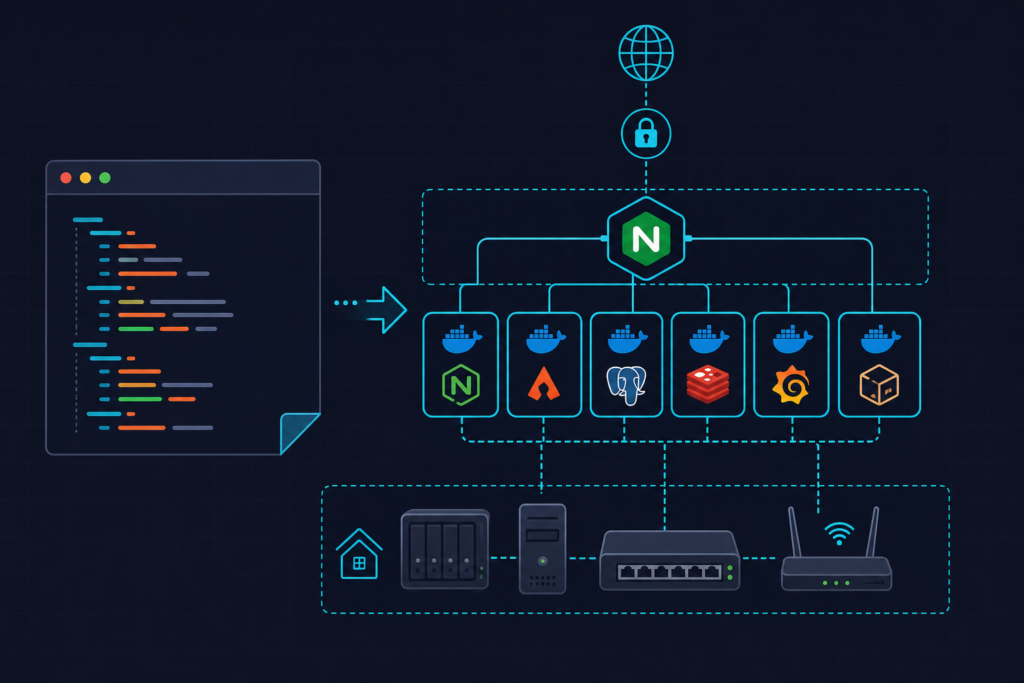
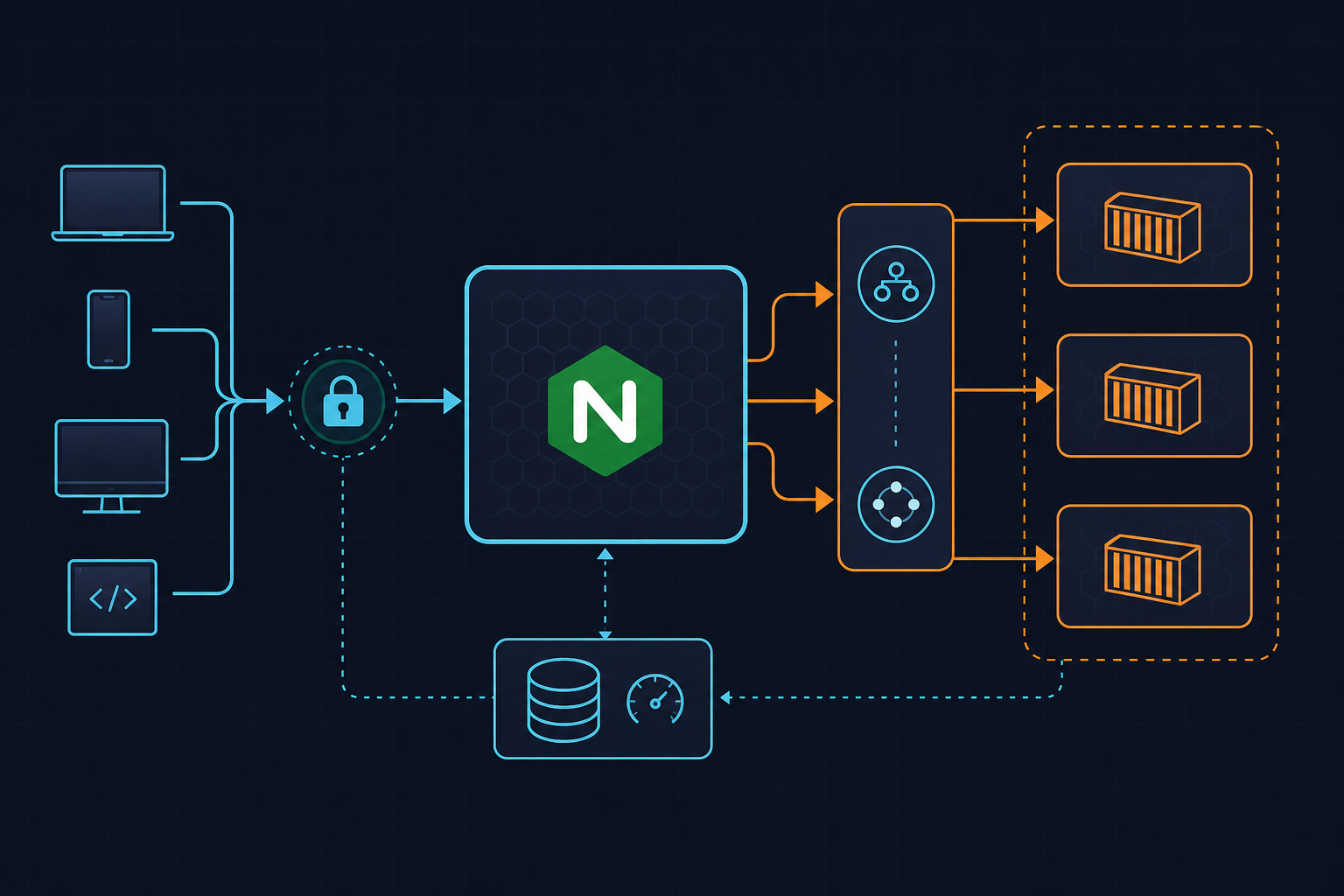
To debug this properly you need to understand the three-container chain. nginx-proxy watches Docker events via docker-gen and rewrites /etc/nginx/conf.d/default.conf whenever a container starts or stops. acme-companion watches for LETSENCRYPT_HOST env vars and performs the HTTP-01 challenge on port 80, through the same shared network. Both containers must mount the same /etc/nginx/certs volume, or nginx-proxy quietly falls back to its bundled self-signed cert — with no obvious error in the logs.
The two most common root causes I see, in order of frequency:
- DNS doesn’t point at the host yet, but the ACME request fires anyway. Every failed HTTP-01 challenge counts against Let’s Encrypt’s rate limits, and repeated attempts snowball into a lockout that takes an hour or more to clear.
- VIRTUAL_HOST / LETSENCRYPT_HOST mismatch — a typo, a trailing dot, or a www vs non-www inconsistency means docker-gen never generates a server block for that domain, so nginx serves the default placeholder.
Watch out for: acme-companion needs read-write access to the certs volume. nginx-proxy only needs read access. If you accidentally invert that — mounting certs as :ro on acme-companion — renewal breaks silently with no obvious error, and you won’t notice until the cert expires.
Fix #1: Verify network path and DNS before touching config
Rule out infrastructure first. Config debugging on top of broken DNS wastes time and burns rate limit budget. Run this from outside the host:
# 1. Confirm DNS points at this host
dig +short app.example.com
curl -s ifconfig.me     # run on the server — output must match dig result

# 2. Confirm port 80 is reachable externally for the ACME challenge
curl -v http://app.example.com/.well-known/acme-challenge/probe
If the IPs don’t match, stop — fix DNS propagation before anything else. If port 80 times out or connection is refused, check your cloud security group or host firewall (ufw status, iptables -L). This is a frequent silent killer: everything “looks” configured correctly, but the ACME HTTP-01 challenge simply never reaches the container.
Also confirm all three containers — nginx-proxy, acme-companion, and the app — are on the same user-defined bridge network, not Docker’s default bridge:
docker network inspect proxy-net
The default bridge network doesn’t do container name resolution the way user-defined networks do. If docker-gen can’t resolve the app container by name, it can’t build a correct upstream block, and you’ll see intermittent 502s that look like a cert problem but aren’t.
Fix #2: Correct the env var contract between containers
This is the most common misconfiguration, and it’s almost always a copy-paste typo. Audit every app service for exact matching pairs:
environment:
  VIRTUAL_HOST: app.example.com
  LETSENCRYPT_HOST: app.example.com
  LETSENCRYPT_EMAIL: [email protected]
  VIRTUAL_PORT: "8080"   # must match the app's actual listen port
A single trailing dot, or a www/non-www mismatch between VIRTUAL_HOST and LETSENCRYPT_HOST, breaks the whole chain — docker-gen and acme-companion have to agree on the exact string. After fixing env vars, force a config regeneration and check what actually got written:
docker exec nginx-proxy cat /etc/nginx/conf.d/default.conf | grep -A2 server_name
docker exec nginx-proxy nginx -t          # validate syntax without reloading
docker exec nginx-proxy nginx -s reload   # apply
If you’re running multiple domains behind one app, use comma-separated LETSENCRYPT_HOST=a.example.com,b.example.com. But here’s a gotcha I got burned by: acme-companion issues one cert per unique VIRTUAL_HOST value, not automatically one SAN per comma entry — check the logs to confirm which SANs actually landed on the issued cert before assuming it worked.
Another gotcha: if VIRTUAL_PORT is missing and the app exposes multiple ports, nginx-proxy guesses wrong more often than you’d expect, producing intermittent 502s that read exactly like a TLS problem but have nothing to do with certs.
Fix #3: Fix volume persistence and force a clean cert reissue
If certs vanish after every redeploy, your volumes aren’t actually persistent. Make sure certs, vhost.d, and html are named volumes — not anonymous volumes, and definitely not bind mounts to an ephemeral CI runner filesystem — and that they’re declared identically in both the nginx-proxy and acme-companion service blocks. Here’s the full working stack I use as a baseline:
# docker-compose.yml — nginx-proxy + acme-companion + sample web app
version: "3.9"

services:
  nginx-proxy:
    image: nginxproxy/nginx-proxy:1.4
    container_name: nginx-proxy
    restart: unless-stopped
    ports:
      - "80:80"
      - "443:443"
    volumes:
      - certs:/etc/nginx/certs:ro          # read-only: proxy only serves certs
      - vhost:/etc/nginx/vhost.d
      - html:/usr/share/nginx/html
      - /var/run/docker.sock:/tmp/docker.sock:ro
    networks:
      - proxy-net
    labels:
      - "com.github.nginx-proxy.nginx"     # required for acme-companion discovery

  acme-companion:
    image: nginxproxy/acme-companion:2.2
    container_name: acme-companion
    restart: unless-stopped
    depends_on:
      - nginx-proxy
    volumes:
      - certs:/etc/nginx/certs:rw          # read-write: needs to place new certs
      - vhost:/etc/nginx/vhost.d
      - html:/usr/share/nginx/html
      - acme:/etc/acme.sh
      - /var/run/docker.sock:/var/run/docker.sock:ro
    environment:
      DEFAULT_EMAIL: [email protected]
      # ACME_CA_URI: https://acme-staging-v02.api.letsencrypt.org/directory  # uncomment while testing
    networks:
      - proxy-net

  webapp:
    image: myorg/webapp:1.2.3
    container_name: webapp
    restart: unless-stopped
    environment:
      VIRTUAL_HOST: app.example.com
      LETSENCRYPT_HOST: app.example.com
      LETSENCRYPT_EMAIL: [email protected]
      VIRTUAL_PORT: "8080"                 # must match app's actual listen port
    networks:
      - proxy-net

volumes:
  certs:
  vhost:
  html:
  acme:

networks:
  proxy-net:
    driver: bridge                          # never use default bridge here
If certs are stuck in a bad state, don’t nuke the whole volume — that wastes reissue attempts. Instead, stop the stack, inspect the volume, and remove only the affected domain’s .crt/.key/.json files:
docker compose down
docker volume inspect certs
# manually remove app.example.com.crt / .key / .json from the volume mountpoint
docker compose up -d
And while you’re iterating, point ACME_CA_URI at the Let’s Encrypt staging endpoint (https://acme-staging-v02.api.letsencrypt.org/directory). Production limits are 5 duplicate-cert failures/hour and 50 certs/week per registered domain — trivially easy to burn through while debugging a typo. Flip back to production only once staging confirms the chain works end to end. Run the full diagnostic sequence below to confirm everything’s actually resolved:
# Diagnostic sequence for "cert not issuing" — run in order

# 3. Check what nginx-proxy actually generated
docker exec nginx-proxy cat /etc/nginx/conf.d/default.conf | grep -A2 server_name

# 4. Check acme-companion's last attempt
docker logs acme-companion --tail 50

# Example failing output:
# 2024-05-11 acme-companion  | Registering domain 'app.example.com'
# 2024-05-11 acme-companion  | Error creating new order :: too many failed authorizations recently

# 5. Confirm the served cert (should be Let's Encrypt, not "nginx-proxy-default")
openssl s_client -connect app.example.com:443 -servername app.example.com 2>/dev/null \
  | openssl x509 -noout -issuer -dates
Prevention
Once you’ve got nginx-proxy Let’s Encrypt certs issuing correctly, lock it in so it doesn’t regress on the next deploy:
- Pin exact image tags —
nginxproxy/nginx-proxy:1.4andnginxproxy/acme-companion:2.2— instead of:latest. I stopped using:lateston these images after a minor docker-gen template bump silently broke vhost generation across an entire fleet overnight. - Add an independent monitoring check that hits
https://yourdomain.comand alerts if expiry drops under 14 days, separate from acme-companion’s internal renewal logic. Don’t trust the renewal daemon to also monitor itself. - Document the env var contract —
VIRTUAL_HOST/LETSENCRYPT_HOST/VIRTUAL_PORT— in a.env.exampleor README so the next service added to the stack doesn’t silently miss it. - Always test new domains against Let’s Encrypt staging first. This one habit alone prevents the vast majority of rate-limit lockouts I’ve seen teams hit.
- If you ever set
NETWORK_ACCESS=internal, make sure acme-companion’s challenge path is still reachable — I’ve seen teams misconfigure this and then “fix” it by switching to DNS-01 with API keys stored in plaintext env vars, which is a worse security tradeoff than the original problem.
For more Docker Compose patterns we run in production, check the DevOps_DayS archive — there’s a related writeup on trimming bloated images that pairs well with this proxy setup. And if you want the canonical reference on ACME rate limits, Let’s Encrypt’s own rate limits documentation is worth bookmarking before your next debugging session.